A Fresh View In May (2026 Wallpapers Edition)

May has a way of sneaking in with longer days, softer light, and that first real hint of summer in the air. It’s the season of fresh ideas and just enough energy to start something new, or finally pick up something you’ve been putting off. And sometimes, all it takes to spark that little bit of inspiration is a fresh view… even if it’s just on your desktop.

That’s where our monthly wallpapers series comes in. For the past 15 years, artists and designers from around the world have been contributing their designs to celebrate each new month. This May is no exception. Created with care and a unique personal touch, every wallpaper in this collection comes in a variety of screen resolutions and can be downloaded for free. A huge thank-you to everyone who got creative — this post wouldn’t be possible without your wonderful support!

If you too would like to get featured in one of our upcoming wallpapers posts, please don’t hesitate to join in. We can’t wait to see what you’ll come up with! Happy May!

  • You can click on every image to see a larger preview.
  • We respect and carefully consider the ideas and motivation behind each and every artist’s work. This is why we give all artists the full freedom to explore their creativity and express emotions and experience through their works. This is also why the themes of the wallpapers weren’t anyhow influenced by us but rather designed from scratch by the artists themselves.

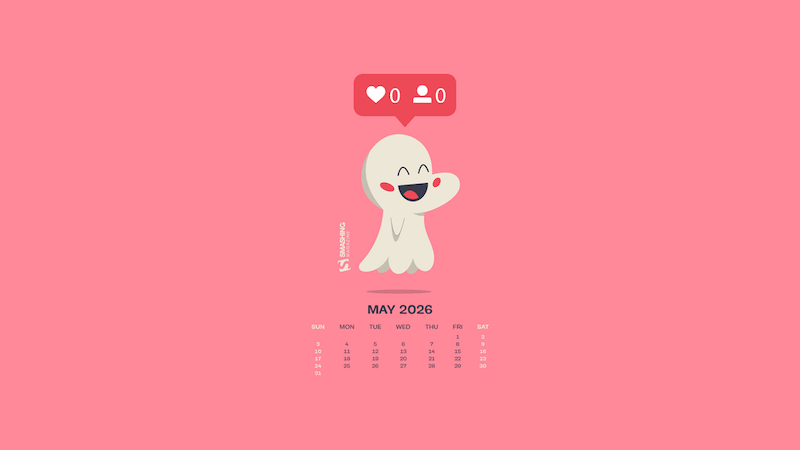
Happily Invisible Online

Designed by Ricardo Gimenes from Spain.
  • preview
  • with calendar: 640×480, 800×480, 800×600, 1024×768, 1024×1024, 1152×864, 1280×720, 1280×800, 1280×960, 1280×1024, 1366×768, 1400×1050, 1440×900, 1600×1200, 1680×1050, 1680×1200, 1920×1080, 1920×1200, 1920×1440, 2560×1440, 3840×2160
  • without calendar: 640×480, 800×480, 800×600, 1024×768, 1024×1024, 1152×864, 1280×720, 1280×800, 1280×960, 1280×1024, 1366×768, 1400×1050, 1440×900, 1600×1200, 1680×1050, 1680×1200, 1920×1080, 1920×1200, 1920×1440, 2560×1440, 3840×2160

Where Every Sip Tells A Secret

“A quiet ritual, a shared moment, a pause in the rush — tea invites you to slow down and discover warmth in the smallest details. Let each cup unfold its own little story.” — Designed by PopArt Studio from Novi Sad, Serbia.

  • preview
  • with calendar: 320×480, 640×480, 800×480, 800×600, 1024×768, 1024×1024, 1152×864, 1280×720, 1280×800, 1280×960, 1280×1024, 1400×1050, 1440×900, 1600×1200, 1680×1050, 1680×1200, 1920×1080, 1920×1200, 1920×1440, 2560×1440
  • without calendar: 320×480, 640×480, 800×480, 800×600, 1024×768, 1024×1024, 1152×864, 1280×720, 1280×800, 1280×960, 1280×1024, 1400×1050, 1440×900, 1600×1200, 1680×1050, 1680×1200, 1920×1080, 1920×1200, 1920×1440, 2560×1440

Just A Style Thing

Designed by Ricardo Gimenes from Spain.
  • preview
  • with calendar: 640×480, 800×480, 800×600, 1024×768, 1024×1024, 1152×864, 1280×720, 1280×800, 1280×960, 1280×1024, 1366×768, 1400×1050, 1440×900, 1600×1200, 1680×1050, 1680×1200, 1920×1080, 1920×1200, 1920×1440, 2560×1440, 3840×2160
  • without calendar: 640×480, 800×480, 800×600, 1024×768, 1024×1024, 1152×864, 1280×720, 1280×800, 1280×960, 1280×1024, 1366×768, 1400×1050, 1440×900, 1600×1200, 1680×1050, 1680×1200, 1920×1080, 1920×1200, 1920×1440, 2560×1440, 3840×2160

Next Bloom

“A small bee with a big garden plan checks each flower on her list and looks for the next bloom to visit.” — Designed by Ginger IT Solutions from Serbia.
  • preview
  • with calendar: 320×480, 640×480, 800×480, 800×600, 1024×768, 1024×1024, 1152×864, 1280×720, 1280×800, 1280×960, 1280×1024, 1400×1050, 1440×900, 1600×1200, 1680×1050, 1680×1200, 1920×1080, 1920×1200, 1920×1440, 2560×1440
  • without calendar: 320×480, 640×480, 800×480, 800×600, 1024×768, 1024×1024, 1152×864, 1280×720, 1280×800, 1280×960, 1280×1024, 1400×1050, 1440×900, 1600×1200, 1680×1050, 1680×1200, 1920×1080, 1920×1200, 1920×1440, 2560×1440

No Play Jack

“Summer is getting closer, but we’re reminded of a more wintry and eerie landscape, like that of ‘The Shining.’ A truly great film, proving that you don’t need much, but it needs to be used well to create suspense and terror.” — Designed by Veronica Valenzuela from Spain.

  • preview
  • with calendar: 640×480, 800×480, 1024×768, 1280×720, 1280×800, 1440×900, 1600×1200, 1920×1080, 1920×1440, 2560×1440
  • without calendar: 640×480, 800×480, 1024×768, 1280×720, 1280×800, 1440×900, 1600×1200, 1920×1080, 1920×1440, 2560×1440

Buddha Purnima

“Buddha Purnima, falling on May 1st, is the most sacred Buddhist festival commemorating the birth, enlightenment, and passing of Gautama Buddha. It is observed on the full moon day of the Vaisakha month, symbolizing spiritual liberation and the triumph of peace. The day serves as a global reminder of his core teachings: non-violence, compassion, and the path to ending suffering.” — Designed by V D Photography from Surat, Gujarat, India.

  • preview
  • with calendar: 1280×720, 1920×1080, 2560×1440, 3840×2160
  • without calendar: 1280×720, 1920×1080, 2560×1440, 3840×2160

Hello May

“The longing for warmth, flowers in bloom, and new beginnings is finally over as we welcome the month of May. From celebrating nature on the days of turtles and birds to marking the days of our favorite wine and macarons, the historical celebrations of the International Workers’ Day, Cinco de Mayo, and Victory Day, to the unforgettable ‘May the Fourth be with you’, May is a time of celebration — so make every May day count!” — Designed by PopArt Studio from Serbia.

  • preview
  • without calendar: 320×480, 640×480, 800×480, 800×600, 1024×768, 1024×1024, 1152×864, 1280×720, 1280×800, 1280×960, 1280×1024, 1366×768, 1440×900, 1440×1050, 1600×1200, 1680×1050, 1680×1200, 1920×1080, 1920×1200, 1920×1440, 2560×1440

Add Color To Your Life!

“This month is dedicated to flowers, to join us and brighten our days giving a little more color to our daily life.” — Designed by Verónica Valenzuela Jimenez from Spain.

  • preview
  • without calendar: 800×480, 1024×768, 1152×864, 1280×800, 1280×960, 1440×900, 1680×1200, 1920×1080, 2560×1440

Ladies And Gentlemen

Designed by Ricardo Gimenes from Spain.

  • preview
  • without calendar: 640×480, 800×480, 800×600, 1024×768, 1024×1024, 1152×864, 1280×720, 1280×800, 1280×960, 1280×1024, 1366×768, 1400×1050, 1440×900, 1600×1200, 1680×1050, 1680×1200, 1920×1080, 1920×1200, 1920×1440, 2560×1440, 3840×2160

Poppies Paradise

Designed by Nathalie Ouederni from France.

  • preview
  • without calendar: 320×480, 1024×768, 1280×1024, 1440×900, 1680×1200, 1920×1200, 2560×1440

Understand Yourself

“Sunsets in May are the best way to understand who you are and where you are heading. Let’s think more!” — Designed by Igor Izhik from Canada.

  • preview
  • without calendar: 1280×720, 1280×800, 1280×960, 1280×1024, 1400×1050, 1440×900, 1600×1200, 1680×1050, 1680×1200, 1920×1080, 1920×1200, 1920×1440, 2560×1440

Navigating The Amazon

“We are in May, the spring month par excellence, and we celebrate it in the Amazon jungle.” — Designed by Veronica Valenzuela Jimenez from Spain.

  • preview
  • without calendar: 640×480, 800×480, 1024×768, 1280×720, 1280×800, 1440×900, 1600×1200, 1920×1080, 1920×1440, 2560×1440

ARRR2-D2

Designed by Ricardo Gimenes from Spain.

  • preview
  • without calendar: 640×480, 800×480, 800×600, 1024×768, 1024×1024, 1152×864, 1280×720, 1280×800, 1280×960, 1280×1024, 1366×768, 1400×1050, 1440×900, 1600×1200, 1680×1050, 1680×1200, 1920×1080, 1920×1200, 1920×1440, 2560×1440, 3840×2160

Lake Deck

“I wanted to make a big painterly vista with some mountains and a deck and such.” — Designed by Mike Healy from Australia.

  • preview
  • without calendar: 1280×960, 1440×900, 1680×1050, 1920×1080, 2560×1440, 2560×1600, 2880×1800

Today, Yesterday, Or Tomorrow

Designed by Alma Hoffmann from the United States.
  • preview
  • without calendar: 1024×768, 1024×1024, 1280×800, 1280×1024, 1366×768, 1440×900, 1680×1050, 1920×1080, 1920×1200, 2560×1440

The Monolith

Designed by Ricardo Gimenes from Spain.

  • preview
  • without calendar: 640×480, 800×480, 800×600, 1024×768, 1024×1024, 1152×864, 1280×720, 1280×800, 1280×960, 1280×1024, 1366×768, 1400×1050, 1440×900, 1600×1200, 1680×1050, 1680×1200, 1920×1080, 1920×1200, 1920×1440, 2560×1440, 3840×2160

Tentacles

Designed by Julie Lapointe from Canada.

  • preview
  • without calendar: 320×480, 1024×768, 1280×800, 1280×1024, 1440×900, 1680×1050, 1920×1200

Geo

Designed by Amanda Focht from the United States.
  • preview
  • without calendar: 320×480, 640×480, 800×480, 1024×768, 1024×1024, 1152×864, 1280×720, 1280×800, 1280×960, 1280×1024, 1366×768, 1400×1050, 1440×900, 1680×1200, 1920×1080, 1920×1440, 2560×1440

Make A Wish

Designed by Julia Versinina from Chicago, USA.

  • preview
  • without calendar: 320×480, 640×480, 800×480, 800×600, 1024×768, 1024×1024, 1152×864, 1280×720, 1280×800, 1280×960, 1280×1024, 1440×900, 1600×1200, 1680×1050, 1680×1200, 1920×1080, 1920×1200, 1920×1440, 2560×1440

Bat Traffic

Designed by Ricardo Gimenes from Spain.

  • preview
  • without calendar: 640×480, 800×480, 800×600, 1024×768, 1024×1024, 1152×864, 1280×720, 1280×800, 1280×960, 1280×1024, 1366×768, 1400×1050, 1440×900, 1600×1200, 1680×1050, 1680×1200, 1920×1080, 1920×1200, 1920×1440, 2560×1440, 3840×2160

Blooming May

“In spring, especially in May, we all want bright colors and lightness, which were not there in winter.” — Designed by MasterBundles from Ukraine.

  • preview
  • without calendar: 320×480, 640×480, 800×480, 800×600, 1024×768, 1024×1024, 1152×864, 1280×720, 1280×800, 1280×960, 1280×1024, 1366×768, 1400×1050, 1440×900, 1600×1200, 1680×1050, 1680×1200, 1920×1080, 1920×1200, 1920×1440, 2560×1440

Enjoy May!

“Springtime, especially May, is my favorite time of the year. And I like popsicles — so it’s obvious isn’t it?” — Designed by Steffen Weiß from Germany.

  • preview
  • without calendar: 320×480, 640×480, 800×480, 800×600, 1024×768, 1024×1024, 1152×864, 1280×720, 1280×800, 1280×960, 1280×1024, 1400×1050, 1440×900, 1600×1200, 1680×1050, 1680×1200, 1920×1080, 1920×1200, 1920×1440, 2560×1440

Stone Dahlias

Designed by Rachel Hines from the United States.

  • preview
  • without calendar: 320×480, 640×480, 800×480, 800×600, 1024×768, 1024×1024, 1152×864, 1280×720, 1280×1024, 1366×768, 1400×900, 1400×1050, 1600×1200, 1680×1050, 1680×1200, 1920×1080, 1920×1200, 1920×1440, 2560×1440

Spring Gracefulness

“We don’t usually count the breaths we take, but observing nature in May, we can’t count our breaths being taken away.” — Designed by Ana Masnikosa from Belgrade, Serbia.

  • preview
  • without calendar: 320×480, 640×480, 800×480, 800×600, 1024×768, 1024×1024, 1152×864, 1280×720, 1280×800, 1280×960, 1280×1024, 1400×1050, 1440×900, 1600×1200, 1680×1050, 1680×1200, 1920×1080, 1920×1200, 1920×1440, 2560×1440

Sweet Lily Of The Valley

“The ‘lily of the valley’ came earlier this year. In France, we celebrate the month of May with this plant.” — Designed by Philippe Brouard from France.

  • preview
  • without calendar: 800×480, 1024×768, 1024×1024, 1280×720, 1280×1024, 1440×900, 1920×1080, 1920×1440, 2560×1440

April Showers Bring Magnolia Flowers

“April and May are usually when everything starts to bloom, especially the magnolia trees. I live in an area where there are many and when the wind blows, the petals make it look like snow is falling.” — Designed by Sarah Masucci from the United States.

  • preview
  • without calendar: 320×480, 640×480, 800×480, 800×600, 1024×768, 1024×1024, 1152×864, 1280×720, 1280×800, 1280×960, 1280×1024, 1400×1050, 1440×900, 1600×1200, 1680×1050, 1680×1200, 1920×1080, 1920×1200, 1920×1440, 2560×1440

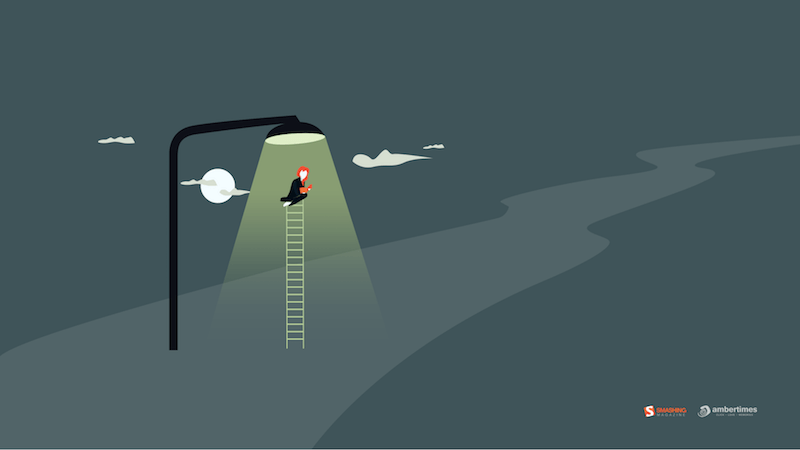
Always Seek Knowledge

“‘As knowledge increases, wonder deepens.’ (Charles Morgan) So I tried to create an illustration based on this.” — Designed by Bisakha Datta from India.
  • preview
  • without calendar: 320×480, 640×480, 800×480, 1024×768, 1024×1024, 1152×864, 1280×720, 1280×800, 1280×960, 1280×1024, 1366×768, 1400×900, 1400×1050, 1600×1200, 1680×1050, 1680×1200, 1920×1080, 1920×1200, 1920×1440, 2560×1440

May Your May Be Magnificent

“May should be as bright and colorful as this calendar! That’s why our designers chose these juicy colors.” — Designed by MasterBundles from Ukraine.

  • preview
  • without calendar: 320×480, 640×480, 800×480, 800×600, 1024×768, 1024×1024, 1152×864, 1280×720, 1280×800, 1280×960, 1280×1024, 1366×768, 1400×1050, 1440×900, 1600×1200, 1680×1050, 1680×1200, 1920×1080, 1920×1200, 1920×1440, 2560×1440

Celestial Longitude Of 45°

“Lixia is the 7th solar term according to the traditional East Asian calendars, which divide a year into 24 solar terms. It signifies the beginning of summer in East Asian cultures. Usually begins around May 5 and ends around May 21.” — Designed by Hong, Zi-Cing from Taiwan.

  • preview
  • without calendar: 1024×768, 1080×1920, 1280×720, 1280×800, 1280×960, 1366×768, 1400×1050, 1680×1050, 1920×1080, 1920×1200, 2560×1440

Power

Designed by Elise Vanoorbeek from Belgium.

  • preview
  • without calendar: 1024×768, 1280×800, 1280×1024, 1440×900, 1680×1050, 1920×1200, 2560×1440

Rainy Days

“Winter is nearly here in my part of the world and I think rainy days should be spent at home with a good book!” — Designed by Tazi Design from Australia.

  • preview
  • without calendar: 320×480, 640×480, 800×600, 1024×768, 1152×864, 1280×720, 1280×960, 1600×1200, 1920×1080, 1920×1440, 2560×1440

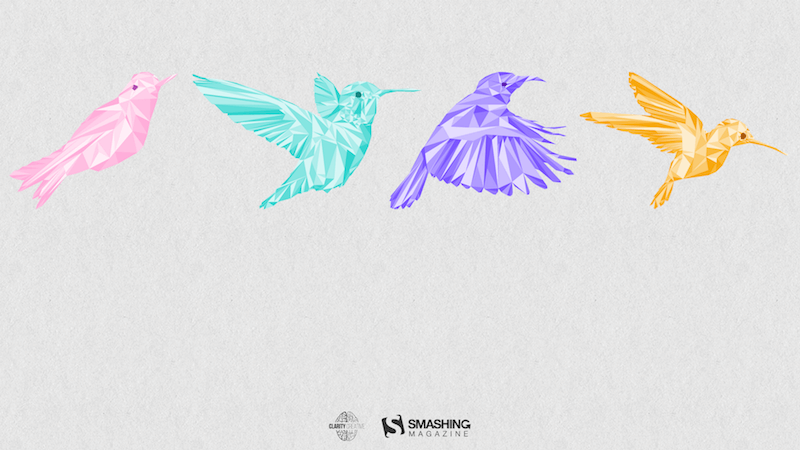
Birds Of May

“Inspired by a little-known ‘holiday’ on May 4th known as ‘Bird Day’. It is the first holiday in the United States celebrating birds. Hurray for birds!” — Designed by Clarity Creative Group from Orlando, FL.
  • preview
  • without calendar: 320×480, 640×480, 640×960, 640×1136, 800×480, 800×600, 1024×768, 1024×1024, 1152×864, 1280×720, 1280×800, 1280×960, 1280×1024, 1400×1050, 1440×900, 1600×1200, 1680×1050, 1680×1200, 1920×1080, 1920×1200, 1920×1440, 2560×1440

Magical Sunset

“I designed Magical Sunset as a friendly reminder to take a moment and enjoy life around you. Each sunset and sunrise brings a new day for greatness and a little magic.” — Designed by Carolyn Warcup from the United States.

  • preview
  • without calendar: 320×480, 640×480, 800×480, 800×600, 1024×768, 1024×1024, 1152×864, 1280×720, 1280×800, 1280×960, 1280×1024, 1366×768, 1400×1050, 1440×900, 1600×1200, 1680×1050, 1680×1200, 1920×1080, 1920×1200, 1920×1440, 2560×1440

All Is Possible In May

“Edwin Way Teale once said that ‘[t]he world’s favorite season is the spring. All things seem possible in May.’ Now that the entire nature is clothed with grass and branches full of blossoms that will grow into fruit, we cannot help going out and enjoying every scent, every sound, every joyful movement of nature’s creatures. Make this May the best so far!” — Designed by PopArt Studio from Serbia.

  • preview
  • without calendar: 320×480, 640×480, 800×480, 800×600, 1024×768, 1024×1024, 1152×864, 1280×720, 1280×800, 1280×960, 1280×1024, 1366×768, 1440×900, 1440×1050, 1600×1200, 1680×1050, 1680×1200, 1920×1080, 1920×1200, 1920×1440, 2560×1440

Get Featured Next Month

Feeling inspired? We’ll publish the June wallpapers on May 31, so if you’d like to be part of the collection, please don’t hesitate to submit your design. We are already looking forward to it!
Designing Stable Interfaces For Streaming Content

More interfaces now render while the response is still being generated. The UI begins in one state, then updates as more data comes in. You see this in chat apps, logs, transcription tools, and other real-time systems.

The tricky part is that the interface is not in a fixed state; it keeps changing as new content comes in. It grows where lines become longer and new blocks appear. Something that was just below the screen can suddenly move, and the user’s scroll position becomes harder to manage. Parts of the UI might even be incomplete while the user is already interacting with it.

In this article, we’ll take a simple interface and make it handle this properly. We’ll look at how to keep things stable, manage scrolling, and render partial content without breaking the reading experience.

What Does A Streaming UI Actually Look Like?

I’ve built three demos that stream content in different ways: a chat bubble, a log feed, and a transcription view. They look different on the surface, but they all run into the same three problems.

The first is scroll. When content is streaming in, most interfaces keep the viewport pinned to the bottom. That works if you are just watching, but the moment you scroll up to read something, the page snaps back down. You did not ask for that. The interface decided for you, and now you’re fighting it instead of reading.

The second is layout shift. Streaming content means containers are constantly growing, and as they do, everything below shifts downward. A button you were about to click is no longer where it was. A line you were reading has moved. The page is not broken; it is just that nothing stays still long enough to interact with comfortably.

The third is render frequency. Browsers paint the screen around 60 times per second, but streams can arrive much faster than that. This means the DOM, which is the browser’s internal representation of everything on the page, ends up being updated for frames the user will never actually see. Each update still costs something, and that cost adds up quietly until performance starts to slip.

As you go through each demo, pay attention to where things start feeling off. That small moment of friction when the interface starts getting in your way. This is exactly what we are here to fix.

Example 1: Streaming AI Chat Responses

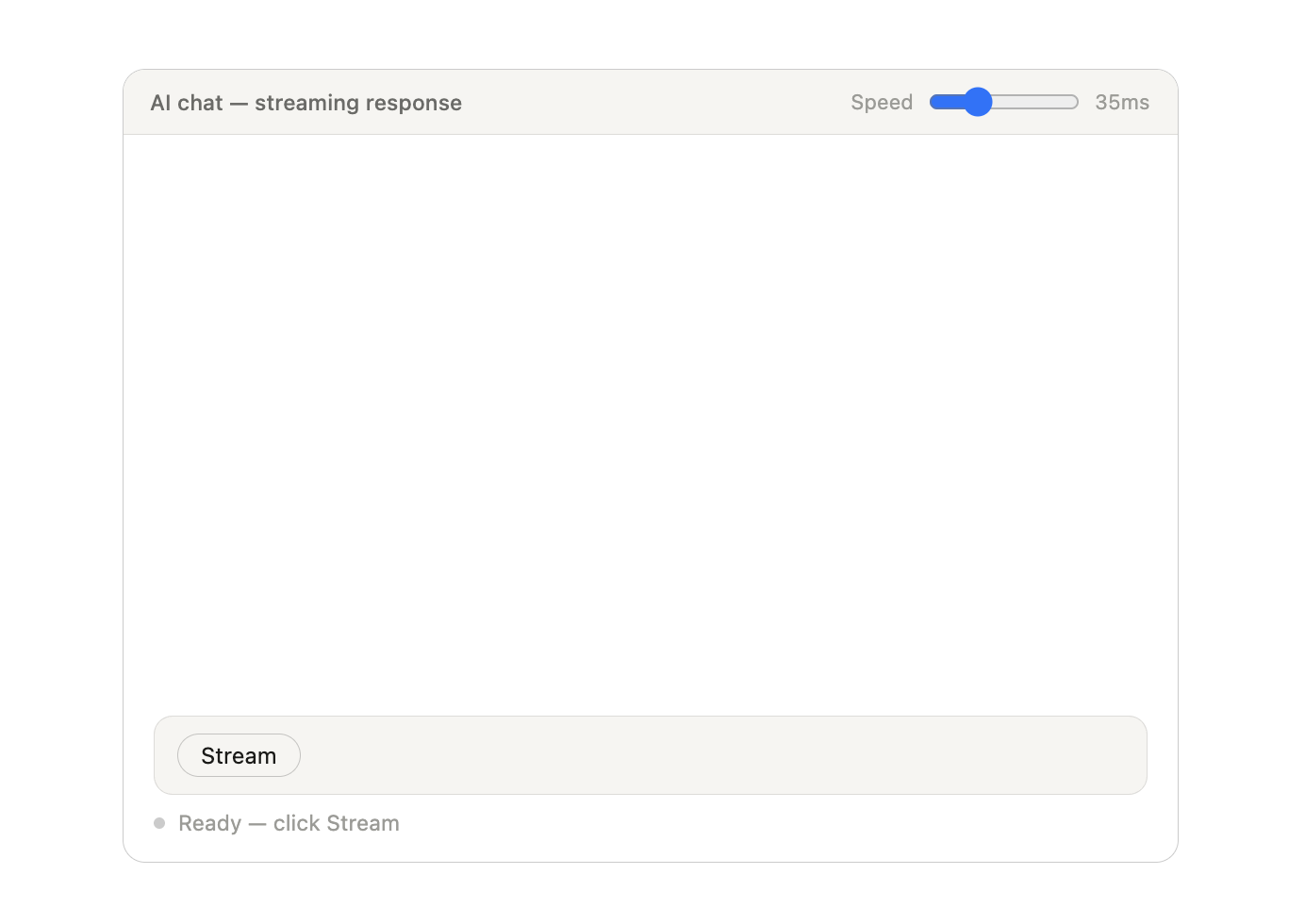
This is the most familiar case. You click Stream, and the message starts growing token by token, just like a typical AI chat interface.

Here’s what I want you to try:

  • Click the Stream button.
  • Try scrolling upwards while the message is streaming.
  • Increase the speed (to something like 10ms).

You will notice something subtle but important: the UI keeps trying to pull you back down. Basically, it is making a decision for you about where your attention should be.

That’s one example. Let’s look at another.

Example 2: Live Processing In A Log Viewer

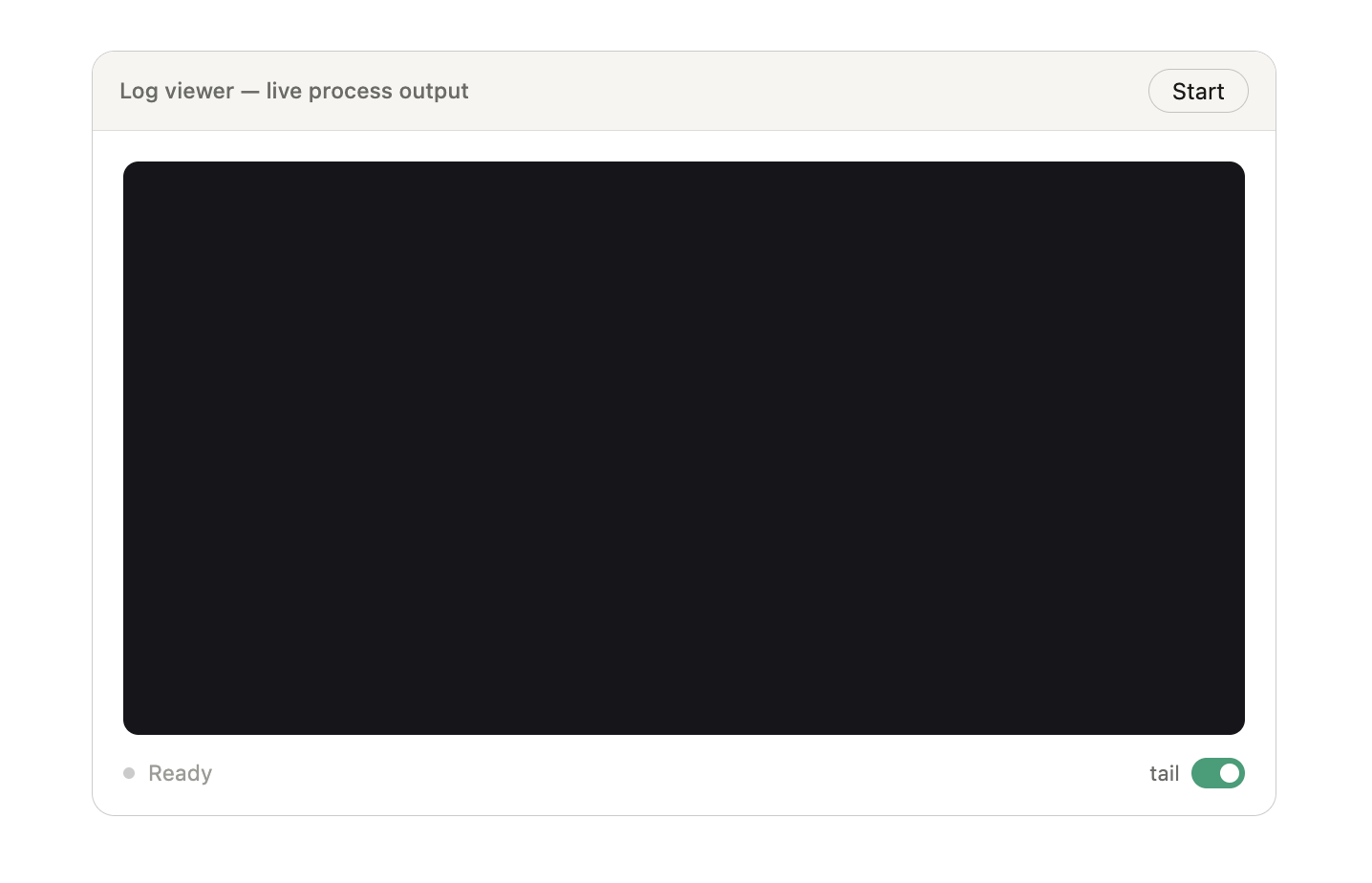
This example looks different on the surface, but the problem is actually very similar to the first example. Rather than a message that gets longer over time, new lines are appended continuously, like a terminal or a log stream.

The interesting part here is the tail toggle. It makes the trade-off between interaction and stable interfaces very clear:

Again, here is what I want you to try:

  • Click the Start button.
  • Allow the logs to stream past the container’s height.
  • Scroll up to the beginning.
  • Stop the stream and disable the “tail” option.

Notice that, when tail is enabled, the UI follows the new content. But you’re unable to scroll up and stay in place. Instead, you need to stop the stream or enable “tail” to explore the content.

Example 3: Dashboard Displaying Real-Time Metrics

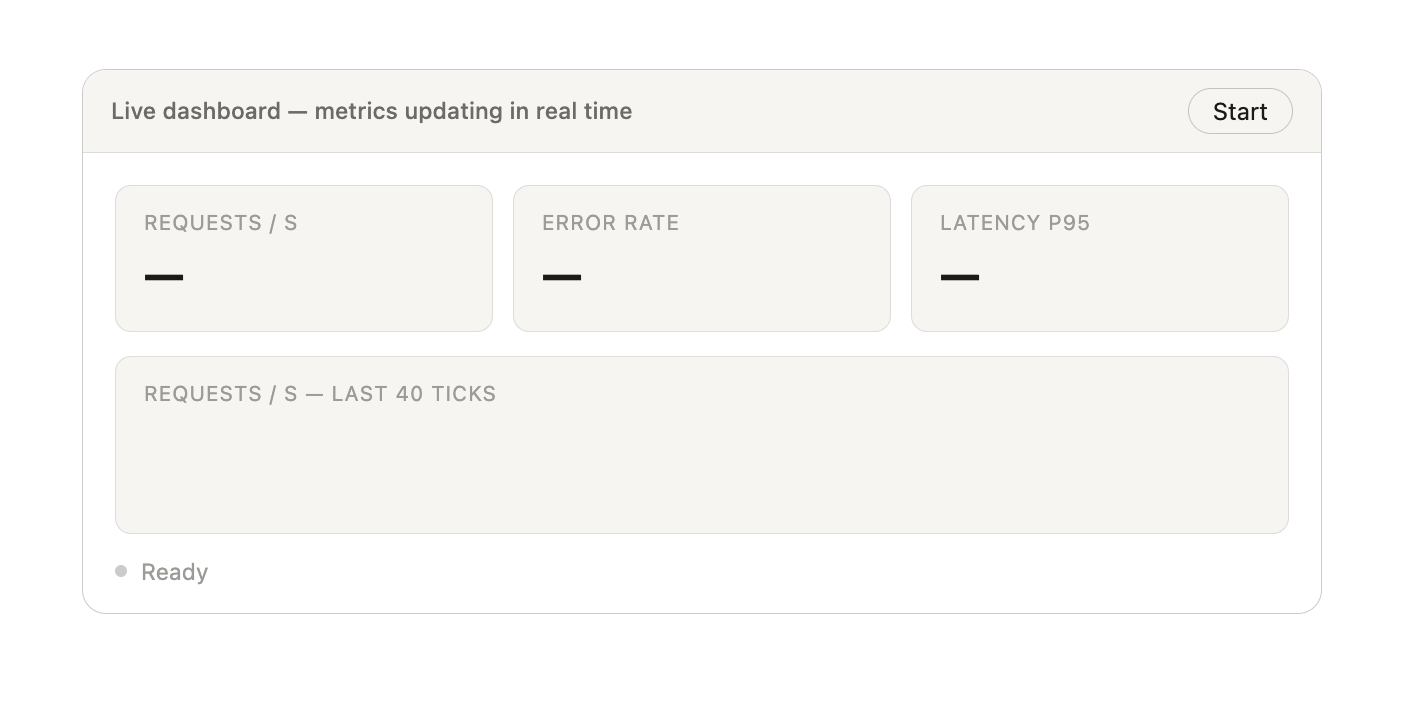
In this case, the UI updates in place:

  • Numbers change,
  • Charts shift,
  • Values refresh continuously.

There is no scroll tension this time, but a different issue shows up. That’s what we’ll get into next.

Why The UI Feels Unstable And How To Fix It

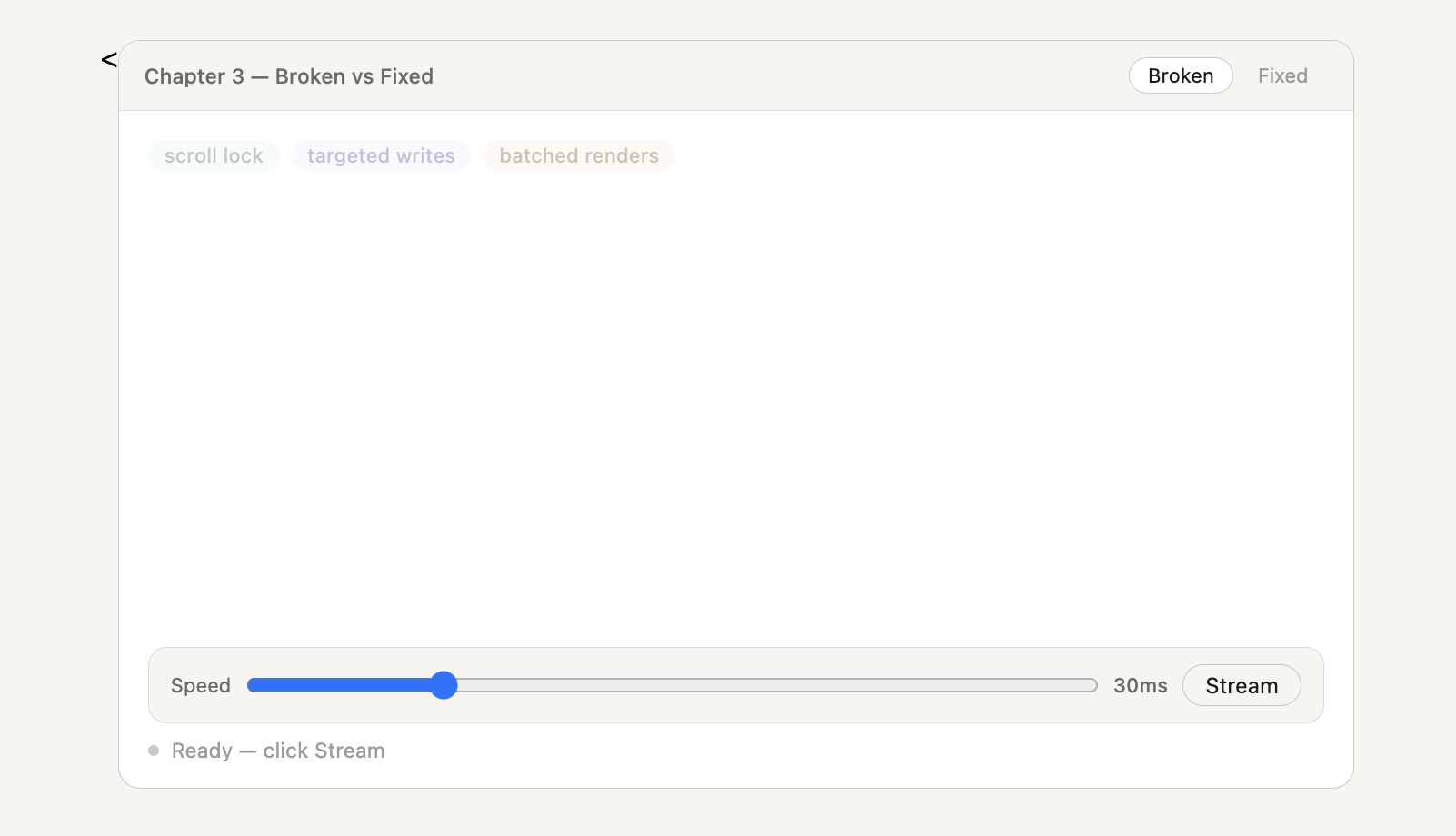
If you tried the chat demo and scrolled upward while the responses were coming in, you may have spotted the first issue right away: the UI keeps pulling you back down to the latest streamed content as it updates. This takes you out of context and never allows you the time to fully digest the content once it has passed.

We see that exact same issue in the second example, the log viewer. Without the tail toggle, the streamed content overrides your scroll position.

These aren’t bugs in the traditional sense that they produce code errors; rather, they are accessibility issues that affect all users. That said, they can be fixed and prevented with careful UX considerations as you plan and test your work.

Ensure Predictable Scroll Behavior

This is the goal:

  • Enable auto-scrolling when detecting that the user is at the bottom of the stream.
  • Stop auto-scrolling when the user has scrolled upwards.
  • Resume auto-scrolling if the user scrolls back to the bottom of the stream.

To do that, we need to know whether the user has intentionally moved away from the bottom, which we can assume is true when the scroll position is manually changed. We can track that behavior with a flag.

let userScrolled = false;

chatEl.addEventListener('scroll', () => {
  const gap = chatEl.scrollHeight
            - chatEl.scrollTop
            - chatEl.clientHeight;

  userScrolled = gap > 60;
});

That 60px threshold matters. Without it, tiny layout changes (like a new line) would briefly create a gap and break auto-scroll, even if the user didn’t actually scroll.

Now let’s make sure that we enable auto-scrolling only when the user’s scroll position is equal to the stream’s scroll height, i.e., the user is at the bottom of the stream:

function autoScroll() {
  if (!userScrolled) {
    chatEl.scrollTop = chatEl.scrollHeight;
  }
}

One small thing that’s easy to miss: we need to reset userScrolled once a new stream begins. Otherwise, one scroll from a previous message can silently disable auto-scroll for the next one.

Solidify Layout Stability

We saw this in the first example as well. As new content streams in, the layout jumps, or shifts, taking you out of your current context. To be specific about what’s shifting: it’s not the page layout in a broad sense, it’s the content directly below the chat bubble.

There’s also a subtler artifact worth calling out before we look at the code: cursor flicker. Because we’re wiping innerHTML and recreating every element on every tick, the cursor is being destroyed and re-added constantly, up to 80 times per second at fast speeds.

At normal speed, it’s easy to miss, but slow the slider down to around 30ms, and you’ll see a faint but persistent flicker at the end of the text. Once we fix the rebuild pattern, the flicker disappears entirely.

None of these changes is a big effort on its own. But once they are in place, the interface stops reacting blindly to every update. It becomes easier to read, easier to control, and a lot less distracting, even though the content is still coming in continuously.

There are even more considerations to take into account for ensuring a stable, predictable, and good user experience. For example, what happens if the stream is canceled mid-flow? And what can we do to ensure that user preferences are respected for things like reduced motion, keyboard navigation, and screen reader accessibility? Let’s get into those next.

Handling Interrupted Streams

Most streaming interfaces include a way to stop or cancel the stream. We saw that in the demos. But stopping often leaves the UI in an awkward state. The cursor might keep blinking, buttons don’t update, and the message just freezes mid-stream with no clear indication that it didn’t finish.

The problem is that the stop is usually wired to do one thing: cancel the timer. That’s not enough. You also need to (1) clear the pending buffer, (2) remove the cursor, (3) mark the response as incomplete, and (4) reset the buttons. Here’s how we accomplish those.

1. Stop The Stream Cleanly

Here’s what stopStream needs to do, in order:

  1. Cancel the timer and flip the isStreaming flag so no more ticks run.
  2. Clear the requestAnimationFrame (RAF) buffer so nothing still queued gets written on the next frame.
function stopStream() {
  clearTimeout(streamTimer);
  isStreaming = false;
  pending     = '';
  rafQueued   = false;
}

Clearing the pending property matters because there might be characters buffered from the last stream instance that haven’t been flushed yet. If you don’t clear it, the next requestAnimationFrame fires, drains the buffer, and writes those characters to the DOM after the stream has officially stopped.

Now we move on to removing the cursor by calling markStopped on the bubble:

if (cursorEl && cursorEl.parentNode) cursorEl.remove();
  markStopped(aiBubble);

  stopBtn.style.display  = 'none';
  retryBtn.style.display = '';
  playBtn.style.display  = '';
  setStatus('Stopped', 'stopped');
  chat.removeEventListener('scroll', onScroll);
}

The cursorEl.parentNode check is there because stopStream is also called internally when a new message fires mid-stream, at which point the cursor might already be gone. Calling remove() on a detached node throws, so we check first.

markStopped appends a small label to the bottom of the bubble so the user knows the response didn’t finish:

function markStopped(bubble) {
  if (!bubble) return;
  bubble.classList.add('stopped');

  const label = document.createElement('span');
  label.className = 'stopped-label';
  label.textContent = 'response stopped';
  bubble.appendChild(label);
}

The null check on bubble handles the edge case where stop fires before the AI message element has been initialized, which can happen if the user clicks stop during the 300ms delay before the bubble appears.

Provide A Retry Option

If the stream simply stops — perhaps due to a network issue or some other unexpected error — we ought to provide the user with a path to re-attempt the stream. What that basically means is preventing the UI from doing the expensive work needed to scroll back up to the top, re-read the prompt, and retype it. With a retry option, the user only needs to click a button, and the stream restarts from the current position.

To make that work, we need to hold onto the question when the stream starts:

let lastQuestion = '';

function startStream(question, answer) {
  lastQuestion = question;
  // rest of setup...
}

Then, when the retry attempt runs, we reset everything and start fresh:

function retryStream() {
  if (currentMsgEl && currentMsgEl.parentNode) {
    currentMsgEl.remove();
  }

  charIndex    = 0;
  userScrolled = false;
  pending      = '';
  rafQueued    = false;
  isStreaming  = true;

  retryBtn.style.display = 'none';
  stopBtn.style.display  = '';
  setStatus('Streaming...', 'streaming');

  chat.addEventListener('scroll', onScroll, { passive: true });

  setTimeout(() => {
    initAIMsg();
    tick(lastAnswer);
  }, 200);
}

The reset is critical. Every piece of state needs to go back to its initial value, just like a brand new stream.

Note: We remove the entire message row (currentMsgEl), not just the bubble. If only the bubble is removed, the layout wrapper and avatar remain persistent and break the structure.

Send A New Message Mid-Stream

There’s one more edge case that’s easy to miss. If the user sends a new message while a stream is still running, you end up with two loops writing to the DOM at the same time. The result is messy, and characters from different responses get mixed together.

Here’s what to do: stop the current stream before starting a new one.

function startStream(question, answer) {
  if (isStreaming) {
    clearTimeout(streamTimer);
    isStreaming = false;
    pending     = '';
    rafQueued   = false;
    if (cursorEl && cursorEl.parentNode) cursorEl.remove();
    chat.removeEventListener('scroll', onScroll);
  }

  // now reset and start fresh
  charIndex    = 0;
  userScrolled = false;
  isStreaming  = true;
  lastQuestion = question;
  // ...
}

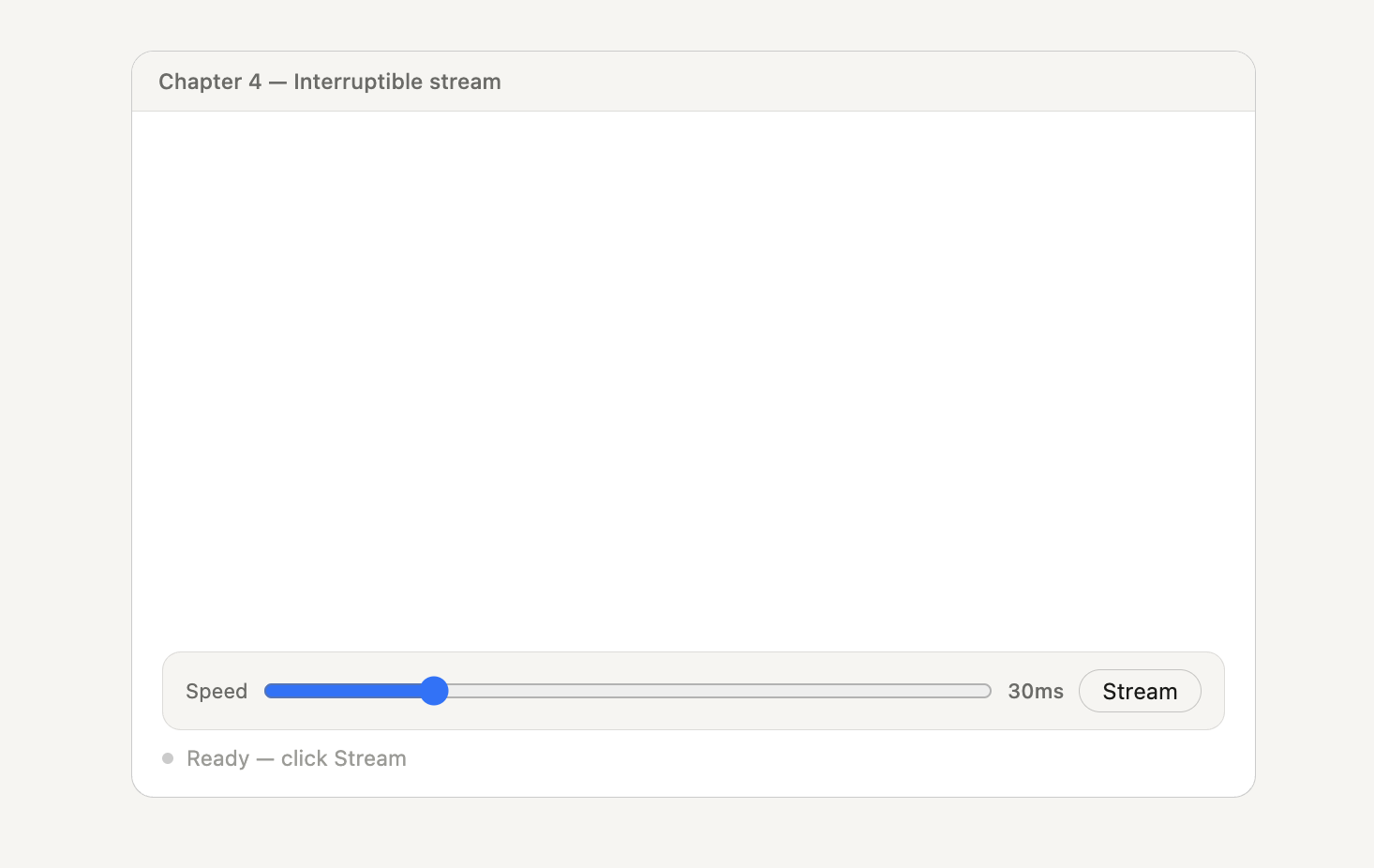
Here, we inline the cleanup rather than calling stopStream directly because stopStream also calls markStopped and resets the buttons. The next demo has all three behaviors wired up. You can start a stream, hit “Stop” mid-stream, and the cursor disappears, the “response stopped” label appears, and a “Retry” buttons displayed.

Accessibility

Streaming interfaces are often built and tested with a mouse, so they may feel just fine in a browser, but break down in other situations that may not have been considered, like whether a screen reader announces new content at all. Or navigating with a keyboard might get stuck or lose focus as things update. And, of course, moving text can be uncomfortable — or even disabling — for those with motion sensitivities.

The good part is that you do not need to rebuild everything to accommodate these things; they can be fixed with solutions that sit on top of what is already there.

Accommodating Assistive Technology With Live Regions

Screen readers don’t automatically announce content that shows up on its own. They usually read things when the user moves to them. So, in a streaming UI, where text builds up over time, nothing gets announced. The content is there, but the user doesn’t hear anything.

The fix is aria-live. It tells the browser to watch a container and announce updates as they happen, without the user needing to move focus.

<div
  id="chat"
  role="log"
  aria-live="polite"
  aria-atomic="false"
  aria-label="Chat messages"
></div>
  • role="log" tells assistive tech this is a stream of updates, like a running transcript. Some tools handle this automatically, but it’s safer to be explicit so behavior stays consistent.
  • aria-atomic="false" makes sure only the new content is announced. Without it, some screen readers try to read the whole message again on every update, which quickly becomes unusable.
  • aria-live="polite" queues updates instead of interrupting. Use assertive only for things that really need immediate attention, like errors.

Handling Incomplete States

Earlier, we inserted a “Response Stopped” label to the message when the stream stops mid-stream. Visually, that’s enough. But for a screen reader, that change needs to be announced.

Since the message is inside a live region with aria-live="polite", the label will be automatically announced as new content when it’s added to the DOM. The live region already handles the announcement, so no additional ARIA is needed on the label itself.

The Retry button that appears next also needs context. If a screen reader simply says “Retry, button,” it’s not clear what action that refers to. You can fix that by adding an aria-label that includes the original question:

retryBtn.setAttribute(
  'aria-label',
  `Retry: ${lastQuestion.slice(0, 60)}`
);

What you can do here is to set this label when the button appears, not on page load:

retryBtn.style.display = 'inline-block';
retryBtn.setAttribute(
  'aria-label',
  `Retry: ${lastQuestion.slice(0, 60)}`
);

We also call retryBtn.focus() after stopping. That way, keyboard users don’t have to Tab around with the keyboard to find the next action.

Testing with assistive technology: Don’t rely on assumptions about how screen readers announce this. Test with actual tools like NVDA (Windows), JAWS (Windows), or VoiceOver (Mac/iOS). Browser DevTools can show you what’s exposed in the accessibility tree, but they can’t tell you how the content sounds. A real screen reader will reveal whether the announcement is happening at the right time and in the right way.

Account For Keyboard Navigation

The controls need to work with the keyboard while the UI is live, so the Stop button has to be reachable. For someone not using a mouse, Tab + Enter is the only way to cancel a running stream.

Using display: none is fine for hiding buttons; it removes them from the tab order. The problem is using things like opacity: 0 or visibility: hidden. Those hide elements visually, but they can still receive focus, so users end up tabbing onto something they can’t see.

Use :focus-visible so the focus ring shows up for keyboard navigation, but not for mouse clicks:

btn:focus-visible {
  outline: 2px solid #1d9e75;
  outline-offset: 2px;
}

The cursor inside the message should have aria-hidden="true". It’s just visual. Without that, some screen readers try to read it as text, which gets distracting.

Motion Sensitivity

The typewriter effect we see in practically every AI interface produces constant motion. As we’ve already discussed, certain amounts of motion can be disabling. Thankfully, browsers expose prefers-reduced-motion, which detects a user’s motion preferences at the operating system level.

For streaming, the best approach is simple: skip the animation and render the full response at once. The content stays the same, only without the motion.

const reducedMotion = window.matchMedia(
  '(prefers-reduced-motion: reduce)'
).matches;
if (reducedMotion) {
  initAIMsg();
  for (const char of text) appendChar(char);
  if (cursorEl && cursorEl.parentNode) cursorEl.remove();
  done();
  return;
}
tick(text); // normal animation

In CSS, the cursor blink also needs to stop. Despite being a minor detail, a blinking cursor element counts as flashing content.

@media (prefers-reduced-motion: reduce) {
  .cursor { animation: none; opacity: 1; }
}

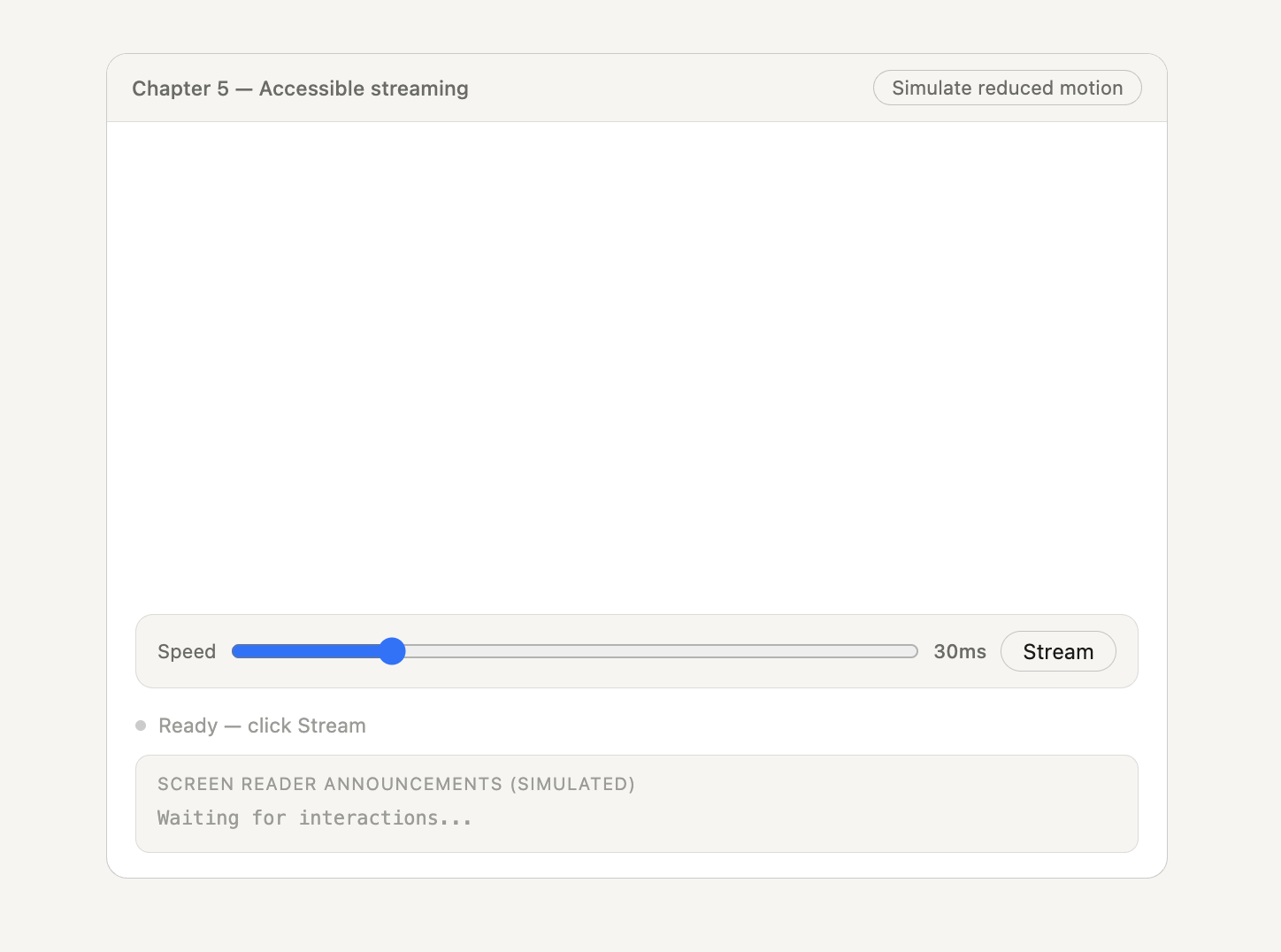
There we go! The demo below puts everything from this article together, so you can see how these patterns work in practice. It also includes a reduced motion toggle, so you can test the instant render version easily.

Conclusion

Streaming itself is mostly solved. Getting data from the server to the client is not the hard part anymore. What breaks is the UI on top of it.

When content updates continuously, small things start to matter, like scroll behavior, layout stability, render timing, and how the interface responds to user actions. If those aren’t handled well, the UI feels unstable and hard to use.

The patterns in this article fix that by:

  • Keeping scroll position under the user’s control,
  • Updating only what has changed,
  • Batching renders per frame,
  • Handling stop and retry actions, and
  • Making the interface accessible.

You don’t need all of these every time. But when streaming is involved, these are the places things usually go wrong.

Further Reading

  • Using Server-Sent Events
    How to open a connection, handle events, and reconnect when needed. This is the transport layer, everything here builds on.
  • Streams API
    Streaming data directly from fetch. Useful when you need more control than SSE.
  • Chrome DevTools Performance panel
    Helps you see layout recalculations and paint costs, so you can verify performance improvements.
  • “How Large DOM Sizes Affect Interactivity, And What You Can Do About It”, Jeremy Wagner
    Why large DOM trees slow things down, and how to keep them under control in long streaming sessions.

What’s New At Releem  –  WHM/cPanel integration is available

We spent March focused on expanding query optimization, building out partner integrations, continuing PostgreSQL testing, and improve the overall experience for hosting providers and teams using Releem.

Screenshot 1 Screenshot 2

We also had the chance to connect with the hosting community at CloudFest. There, we met with hosting providers interested in partnering with Releem to offer Database Advisor to their customers. I gave a talk on Database Advisor for teams running databases without a DBA.

Gabriel presented a deep technical session at Scale23X titled The Hidden Lives of Temp Tables: Unraveling MySQL Internal Management.

Community Contributions

We’re always collecting issues and feature requests on our GitHub. Here’s where you can contribute:

Issues – If you encounter any problems or bugs, report them here.

Feature Requests – Have an idea to make Releem even better? Share your suggestions here.

Product Updates

Batch SQL query analysis and recommendations

You can now see recommendations for all queries directly in Query Analytics without any additional clicks, and save them to the Query Optimization tab for further review and optimization.

If no issues are found, the result shows that the query was analyzed along with the timestamp of the latest check, so you can clearly see what was reviewed and when.

Releem continues to automatically identify the most impactful queries based on workload and adds them as discovered opportunities in the Query Optimization tab.

Custom SQL query optimization

You can now analyze and get recommendations for your own SQL queries, not just the ones Releem detects automatically. Developers can review and optimize queries before they reach production. In Queries & Schema plate go to Query Optimization tab and press + Add Custom Query

WHM/cPanel integration

Releem also integrates with WHM/cPanel, simplifying the installation process and providing access to the Releem dashboard directly from WHM. During installation, Releem disables cPanel auto-tuning rules to ensure compatibility.

Learn more in the documentation.

API and WHMCS integration for hosting partners

We released an API for hosting partners, enabling programmatic integration of Releem into hosting platforms and making it possible to offer Database Advisor to VPS, dedicated, and cloud server customers.

Releem also integrates with WHMCS, allowing providers to sell and manage Database Advisor as an add-on through their existing billing workflows.

Get the partner deck to learn more about integration and partnership options.

AWS Aurora Serverless support

We added support for AWS Aurora Serverless, bringing Releem’s performance analysis and recommendations to these environments (Feature request #477).
The installation process is the same as for AWS RDS.

Deadlock export to CSV

Detected deadlocks can now be exported to CSV for external analysis and reporting (Feature request #503).

Improved data collection performance

We fixed an issue in how Releem queried table_io_waits_summary_by_index_usage reducing unnecessary full table scans on servers with many databases (Issue #500).

Uninstallation dependency fix

The agent no longer downloads unnecessary dependencies during uninstallation (Issue #466).

Duplicate index detection improvement

We improved duplicate index analysis to account for foreign key-backed indexes, helping prevent unsafe recommendations during index optimization (Issue #478).

Expanded query parser support

Releem now supports optimization for queries that start with ‘(‘ instead of ‘SELECT’ (Issue #427).

Offline agent apply-task fix

We fixed an issue that allowed configuration apply tasks to be scheduled while the agent was offline (Issue #311).

Building an AI Agent Harness from Scratch: The Architecture Between LLM and Agent

Everyone talks about the model. Nobody talks about the harness.

Give Claude Sonnet or GPT-4o a chat interface and you get a conversational AI. Wrap it in a loop that can call external tools, maintain state across turns, enforce budget limits, and validate its own outputs — and you get an agent. The difference isn’t the LLM. It’s everything around the LLM.

The AWS team published a guide on “agent harnesses” this week, and it got me thinking: most tutorials show you how to call an LLM or how to register a tool. Almost none show you the orchestration layer that makes those individual pieces behave as a coherent system.

I’ve built agents that run autonomously on production infrastructure 24/7. The mistakes I made early on weren’t about picking the wrong model. They were about skipping the harness — assuming the model would “just figure it out.” It won’t. The harness is what makes an agent reliable, and reliability is the only metric that matters once you move past the demo phase.

Here’s how to build one from scratch.

What Is an Agent Harness, Really?

An agent harness is the execution environment that sits between the user and the LLM. It’s not the prompt. It’s not the model. It’s the infrastructure that:

  1. Manages the conversation loop — receiving input, calling the model, routing tool calls, feeding results back, repeating until termination
  2. Registers and dispatches tools — maintaining a catalog of callable functions, validating arguments, executing them safely, and returning structured results
  3. Maintains memory — storing conversation history, injecting relevant context, compressing old messages to stay within context limits
  4. Enforces guardrails — limiting token budgets, capping tool call counts, preventing infinite loops, blocking dangerous actions
  5. Handles failures — retrying on transient errors, degrading gracefully when a tool is unavailable, escalating to human review when confidence is low

Without a harness, you have a stateless API call. With a harness, you have a system.

The Minimal Agent Harness

Let’s start with the smallest useful version. A harness needs three things: a model interface, a tool registry, and a loop.

import json
from typing import Callable, Any
from dataclasses import dataclass, field

@dataclass
class Tool:
    name: str
    description: str
    parameters: dict  # JSON Schema
    fn: Callable

class AgentHarness:
    def __init__(self, model, system_prompt: str = ""):
        self.model = model
        self.system_prompt = system_prompt
        self.tools: dict[str, Tool] = {}
        self.max_iterations = 10

    def register_tool(self, tool: Tool):
        self.tools[tool.name] = tool

    def tool_list(self) -> list[dict]:
        return [
            {"type": "function", "function": {
                "name": t.name, "description": t.description,
                "parameters": t.parameters,
            }}
            for t in self.tools.values()
        ]

    def run(self, user_input: str) -> str:
        messages = [
            {"role": "system", "content": self.system_prompt},
            {"role": "user", "content": user_input},
        ]
        for i in range(self.max_iterations):
            response = self.model.chat(
                messages=messages, tools=self.tool_list() if self.tools else None,
            )
            if not response.tool_calls:
                return response.content
            messages.append(response.message)
            for call in response.tool_calls:
                tool = self.tools.get(call.function.name)
                if not tool:
                    result = f"Error: Unknown tool '{call.function.name}'"
                else:
                    try:
                        args = json.loads(call.function.arguments)
                        result = tool.fn(**args)
                    except Exception as e:
                        result = f"Error: {type(e).__name__}: {e}"
                messages.append({"role": "tool", "content": str(result), "tool_call_id": call.id})
        return "Max iterations reached."

That’s the skeleton. It loops: call model, check for tool calls, execute, feed back. Seven lines of core logic. It works for demos. It breaks in production. Let’s see why.

Problem 1: The Tool Registry Lies

You register a tool, the agent calls it, and it crashes because input validation is wrong. The tool description promised certain parameters, the model complied, but the underlying function has tighter requirements. This isn’t the model’s fault — it’s a harness problem: the tool registry should validate before dispatch.

class ToolRegistry:
    def __init__(self):
        self.tools: dict[str, Tool] = {}
        self.call_counts: dict[str, int] = {}

    def register(self, tool: Tool):
        self.tools[tool.name] = tool
        self.call_counts[tool.name] = 0

    def validate_call(self, tool_name: str, arguments: dict) -> tuple[bool, str]:
        if tool_name not in self.tools:
            return False, f"Unknown tool: {tool_name}"
        schema = self.tools[tool_name].parameters
        for field in schema.get("required", []):
            if field not in arguments:
                return False, f"Missing required parameter: {field}"
        for arg_name, arg_value in arguments.items():
            if arg_name not in schema.get("properties", {}):
                return False, f"Unexpected parameter: {arg_name}"
        return True, "OK"

    def execute(self, tool_name: str, arguments: dict) -> Any:
        self.call_counts[tool_name] += 1
        return self.tools[tool_name].fn(**arguments)

The registry acts as a gatekeeper, not just a dispatcher. Before any tool fires, the harness validates existence, required fields, type correctness, and hallucinated parameters. This catches 60-70% of tool-call errors before they reach application code.

Problem 2: Memory Bloat Kills Context

Ten turns in, the conversation contains the original prompt, four tool call/response pairs, and a partial draft. The context window is filling up. By turn 20, the model starts forgetting the system prompt. The solution is intelligent context management: compress what you don’t need, preserve what you do.

import tiktoken
from dataclasses import dataclass

@dataclass
class MemoryConfig:
    max_context_tokens: int = 64_000
    keep_recent_messages: int = 8
    always_preserve_system: bool = True

class AgentMemory:
    def __init__(self, config: MemoryConfig):
        self.config = config
        self.messages: list[dict] = []
        self.encoder = tiktoken.encoding_for_model("gpt-4o")

    def add(self, role: str, content: str, **kwargs):
        self.messages.append({"role": role, "content": content, **kwargs})

    def get_messages(self) -> list[dict]:
        total = sum(len(self.encoder.encode(m.get("content", ""))) + 4 for m in self.messages)
        if total <= self.config.max_context_tokens:
            return self.messages
        return self._compress()

    def _compress(self) -> list[dict]:
        keep = self.config.keep_recent_messages
        system_msg = None
        if self.config.always_preserve_system:
            system_msgs = [m for m in self.messages if m["role"] == "system"]
            if system_msgs:
                system_msg = system_msgs[0]
        recent = self.messages[-keep:]
        old = self.messages[:-keep]
        if not old:
            return [system_msg] + recent if system_msg else recent
        # Summarize old messages (in production, call a cheap model like Haiku)
        old_text = "n".join(f"[{m['role']}]: {m.get('content', '')[:200]}" for m in old)
        summary = " | ".join([line[:100] for line in old_text.split("n") if any(kw in line.lower() for kw in ["tool:", "result:", "error:"])][:10])
        compressed = [{"role": "system", "content": f"[EARLIER CONTEXT: {summary}]"}]
        if system_msg:
            compressed = [system_msg] + compressed
        compressed.extend(recent)
        return compressed

Treat the context window like OS memory: recent messages are your hot cache, old messages are swap space, and the system prompt is kernel memory — never page it out.

Problem 3: The Loop Runs Forever

The model enters a reasoning spiral. It calls search_database, gets a result, calls it again with slightly different parameters, repeats indefinitely. Tokens pile up. Budget enforcement is the most critical guardrail, and it belongs in the harness, not the prompt.

from dataclasses import dataclass
import time

@dataclass
class BudgetConfig:
    max_tokens: int = 30_000
    max_tool_calls: int = 25
    max_time_seconds: float = 300.0
    max_per_tool_calls: int = 5

class BudgetEnforcer:
    def __init__(self, config: BudgetConfig):
        self.config = config
        self.tokens_used = 0
        self.tool_calls_total = 0
        self.tool_calls_per_tool: dict[str, int] = {}
        self.start_time = time.time()

    def record_tokens(self, input_tokens: int, output_tokens: int):
        self.tokens_used += input_tokens + output_tokens

    def record_tool_call(self, tool_name: str):
        self.tool_calls_total += 1
        self.tool_calls_per_tool[tool_name] = self.tool_calls_per_tool.get(tool_name, 0) + 1

    def check(self) -> str | None:
        if self.tokens_used >= self.config.max_tokens:
            return f"Token budget exceeded: {self.tokens_used} (limit {self.config.max_tokens})"
        if self.tool_calls_total >= self.config.max_tool_calls:
            return f"Tool call budget exceeded: {self.tool_calls_total}"
        if time.time() - self.start_time >= self.config.max_time_seconds:
            return "Time budget exceeded"
        for tool, count in self.tool_calls_per_tool.items():
            if count >= self.config.max_per_tool_calls:
                return f"Per-tool limit: '{tool}' called {count} times"
        return None

Four budgets, any of which stops the agent before costs spiral: token budget, tool call budget, time budget, and per-tool budget.

Problem 4: Errors Swallowed, Not Handled

A tool call raises ConnectionError. The harness catches it, returns "Error: ConnectionError", and the model gets confused. It doesn’t know if it should retry, try a different tool, or give up. Error formatting is an agent design problem. The model needs structured error messages that tell it what went wrong and what to do.

from enum import Enum
from dataclasses import dataclass

class ErrorType(Enum):
    TRANSIENT = "transient"
    PERMANENT = "permanent"
    UNAVAILABLE = "unavailable"

@dataclass
class ToolError:
    error_type: ErrorType
    message: str
    suggestion: str

def format_tool_error(error: ToolError) -> str:
    parts = [f"[TOOL ERROR: {error.error_type.value.upper()}]"]
    parts.append(error.message)
    if error.suggestion:
        parts.append(f"Suggested action: {error.suggestion}")
    return "n".join(parts)

Examples:

  • Transient: Rate limit hit → “Retry with different parameters or try an alternative tool.”
  • Permanent: DELETE query rejected → “Use SELECT queries to read data instead.”
  • Unavailable: Weather service down → “Inform the user data is unavailable.”

A bare exception traceback tells the model nothing. A structured error with a suggested action gives it a decision tree.

Problem 5: The Harness Has No State

The minimal harness is stateless between runs. For cross-session persistence, you need a state layer:

import json
import sqlite3
from datetime import datetime, UTC

class AgentState:
    def __init__(self, db_path: str = "agent_state.db"):
        self.db = sqlite3.connect(db_path)
        self.db.execute("""CREATE TABLE IF NOT EXISTS sessions (
            session_id TEXT PRIMARY KEY, created_at TEXT,
            last_active TEXT, user_id TEXT)""")
        self.db.execute("""CREATE TABLE IF NOT EXISTS tool_invocations (
            id INTEGER PRIMARY KEY AUTOINCREMENT,
            session_id TEXT, turn_number INTEGER,
            tool_name TEXT, arguments TEXT, result TEXT,
            success INTEGER, duration_ms INTEGER, timestamp TEXT)""")
        self.db.commit()

    def create_session(self, session_id: str, user_id: str):
        self.db.execute(
            "INSERT INTO sessions VALUES (?, ?, ?, ?)",
            (session_id, datetime.now(UTC).isoformat(), datetime.now(UTC).isoformat(), user_id))
        self.db.commit()

    def record_tool_invocation(self, session_id: str, turn: int,
                                tool: str, args: dict, result: str,
                                success: bool, duration_ms: int):
        self.db.execute(
            "INSERT INTO tool_invocations VALUES (NULL, ?, ?, ?, ?, ?, ?, ?, ?)",
            (session_id, turn, tool, json.dumps(args), result,
             int(success), duration_ms, datetime.now(UTC).isoformat()))
        self.db.commit()

    def get_analytics(self, session_id: str) -> dict:
        total = self.db.execute("SELECT COUNT(*) FROM tool_invocations WHERE session_id = ?", (session_id,)).fetchone()[0]
        rate = self.db.execute("SELECT AVG(success) FROM tool_invocations WHERE session_id = ?", (session_id,)).fetchone()[0] or 0
        return {"total_invocations": total, "success_rate": round(rate * 100, 1)}

The state layer gives you session persistence, tool invocation audit logs, and built-in analytics — essential for debugging failed sessions.

The Complete Architecture

All five pieces fit together:

User Input
    ▼
┌───────────────────────────────┐
│         Budget Enforcer        │  ← Checks before every iteration
├───────────────────────────────┤
│         Agent Memory           │  ← Compresses old context
├───────────────────────────────┤
│         LLM Call               │  ← With tool definitions
├─────────────────┬─────────────┤
│   tool calls?   │   no → return
├─────────────────┤
│  Tool Registry   │  ← Schema + type validation
├───────────────────────────────┤
│  Safe Execute    │  ← Structured errors with suggestions
├───────────────────────────────┤
│  Agent State     │  ← Log turn + tool invocation
└───────────────────────────────┘
         loop back

Each component has a single responsibility. The harness coordinates them. The model is just one node in the graph.

Where Managed Platforms Fit In

Building this harness from scratch teaches you exactly what’s involved. But the five components — tool registry, memory management, budget enforcement, error handling, and state persistence — are infrastructure, not business logic. They’re identical whether you’re building a GitHub agent, a content agent, or a customer support agent.

Platforms like Nebula abstract exactly this layer. You define the tools (automatically MCP-exposed), the system prompt, and constraints like max iterations and token budgets. The platform handles the harness: tool validation, context compression, budget tracking, error formatting, and session persistence. Every agent execution is traced end-to-end with cost attribution, and the observability dashboard shows tool call distributions, success rates, and budget consumption in real time.

You focus on what the agent does. The platform ensures you can see when it goes wrong.

Actionable Takeaways

  1. Start with the loop, not the model. The call-observe-decide-repeat pattern is fundamental. Pick any capable LLM and focus on getting the harness right.

  2. Validate tool calls before dispatch. Schema validation catches 60-70% of errors before they hit application code.

  3. Compress context aggressively. Use a hot-cache pattern: keep recent messages, summarize old ones, preserve the system prompt.

  4. Enforce budgets in code, not prompts. A max_iterations field in your prompt is a suggestion. A BudgetEnforcer that halts execution is a guarantee.

  5. Structure your errors. Classify errors as transient (retry), permanent (redirect), or unavailable (graceful degradation), always with a suggested action.

  6. Log everything. Tool invocations with arguments, results, durations, and success status. When a session goes wrong, logs are the only way to reconstruct what happened.

  7. Build the harness first, optimize the model second. A well-harnessed GPT-3.5 outperforms an unharnessed GPT-4o every time.

The agent harness isn’t glamorous. But it’s the difference between an agent that works once in a notebook and one that works at 2 AM on a Tuesday when nobody’s watching. Build it right, and the model becomes the least interesting part of your system.

This article is part of the Building Production AI Agents series on Dev.to.

Stop Ranking Ad Channels by Sessions: Use RPS (Revenue Per Session) Instead

“Google Ads vs. Meta Ads — same budget, which one is more efficient?” I hear this question almost every week from ecommerce operators. Most of them compare by sessions, and that almost always leads to the wrong answer.

I made the same mistake myself once. Meta Ads was driving 1.5x the sessions of Google Ads, so I shifted budget. End of month, total revenue was down.

The fix was a simple division: revenue ÷ sessions, by channel. The metric is called RPS (Revenue Per Session), and it’s the only number that compares revenue efficiency across ad channels apples-to-apples.

TL;DR

  1. RPS = Revenue ÷ Sessions. It’s the only metric that says “how much revenue per visit.” With the relationship AOV × CVR = RPS, it folds AOV and CVR into one number — the integrated decision axis.
  2. Sessions alone misjudges ad channels. Cheaper sessions ≠ revenue-generating sessions. RPS is the right axis for budget allocation across paid channels.
  3. AOV-only or CVR-only optimization hits a hidden trap. Raising free-shipping thresholds raises AOV but drops CVR — and RPS goes down. Only RPS reveals “is this initiative actually good for the business?”

Why Sessions-Based Comparison Misjudges Ad Channels

Ad reports lead with sessions. “Meta Ads has 12,000 sessions this month, Google Ads has 8,000. Meta is winning.” This reading is wrong almost every time.

Channel-level RPS comparison — Google Ads is 1.5x more efficient

Sessions tells you how many people came. It doesn’t tell you how much revenue they brought. Same $10,000 budget across three channels:

  • Google Ads: 8,000 sessions, $9,600 revenue → RPS $1.20
  • Meta Ads: 12,000 sessions, $9,600 revenue → RPS $0.80
  • TikTok Ads: 20,000 sessions, $8,000 revenue → RPS $0.40

By sessions, TikTok wins handily. By RPS, Google Ads is 3x more efficient than TikTok. The exact opposite conclusion.

The mistake I made was the same shape: Meta Ads was driving more sessions, but the traffic mix had lower average AOV and CVR, so the quality per session was worse. Budget moved in the wrong direction. Ad budget allocation should be judged by RPS, not sessions.

Why AOV-Only and CVR-Only Optimization Hit a Trap

The other strength of RPS is that it folds the interaction between AOV and CVR into a single number.

3 metrics misjudge in isolation — RPS is the integrated axis

Take raising the free-shipping threshold from $50 to $80. AOV jumps from $62 to $74 (+19%). Looks great. But customers who were “$20 short of free shipping” drop off, taking CVR from 2.4% to 1.8% (-25%). Net effect: RPS goes from $1.49 to $1.33 (-11%). AOV-only reads as a win. RPS reveals it’s a loss.

Free-shipping threshold — AOV alone says

The reverse pattern works too. A 3-item, 20%-off bundle: AOV $48 → $52 (+8%), CVR 2.0% → 2.6% (+30%), RPS $0.96 → $1.35 (+41%). When AOV and CVR move together, RPS jumps dramatically.

Bundle discount — AOV up, CVR up, RPS jumps

The shared structure: maximizing a single metric usually sacrifices another. Discounts to lift CVR drag AOV down. Thresholds to lift AOV drag CVR down. When the three metrics move independently, you need RPS as the integrated axis to judge the net effect.

How to Compute RPS in GA4 (and Why It’s Painful)

GA4 has a metric called Average purchase revenue per user, which is conceptually close — but it’s per user, not per session. If one user visits 3 times before purchasing, the per-user view counts that as 1 user with 1 purchase. The per-session view counts 3 sessions with 1 purchase. Ad-channel decisions need the second one.

To get session-level RPS in GA4, you need an Exploration with a custom calculation: “Total revenue (purchase) ÷ Sessions” — and the denominator must include sessions that didn’t purchase. Standard reports won’t surface this directly, which is where most operators get stuck.

The cleaner approach is to join sales data and session logs in your data warehouse and compute it in SQL:

SELECT
  channel,
  SUM(revenue) / COUNT(DISTINCT session_id) AS rps
FROM
  sessions s
LEFT JOIN
  orders o ON s.session_id = o.session_id
GROUP BY
  channel

One query, channel-level RPS. The real value of RPS comes from channel comparison, so you want an environment that can produce this granularity.

The “Sessions × RPS” Worldview

Once RPS is in place, ecommerce decision-making collapses into a simple equation:

Revenue = Sessions × RPS

Every initiative ultimately moves one of these two axes:

  • SEO and paid ads → move sessions
  • Thresholds and bundles → move RPS via AOV
  • UX and LP optimization → move RPS via CVR

Operators with reliable RPS measurement can judge any initiative across two axes — “did sessions grow?” and “did RPS move?” — and ad investment, channel selection, and LP optimization priorities all become genuinely data-driven.

I’ve been building RevenueScope on this exact premise: open the dashboard and channel-level RPS is right there, so the next budget decision lands in under a minute.

What’s your current RPS by channel? If your dashboard shows sessions but not RPS, the channels you’re scaling might not be the channels that drive revenue. Curious to hear from anyone who’s flipped from sessions-comparison to RPS-comparison — what changed?

Beyond the Origin: How Cloudflare Workers Forge High-Performance APIs

As engineers, we spend a lot of time optimizing our origin servers. We scale them up, add more instances, and fine-tune our database queries. But what if the biggest performance gain wasn’t on our origin server at all? What if it was somewhere between our user and our server?

For years, the model has been simple: a user makes a request, it hits our infrastructure, we process it, and send a response. This is reliable, but it has limitations. Every request, good or bad, puts a load on our servers. Latency is dictated by the physical distance between the user and our data center. This is where edge computing, specifically with tools like Cloudflare Workers, changes the game.

Workers are small, fast functions that run on Cloudflare’s global network. They intercept HTTP requests before they reach your origin server. This simple fact opens up a world of possibilities for building faster, more resilient, and more intelligent APIs.

The Old Path: A Quick Refresher

Let’s quickly visualize the traditional journey of an API request. A user’s device sends a request. It travels across the internet to your data center, passes through a load balancer, hits one of your API servers, which then likely queries a database, and finally, the response travels all the way back.

Every step in this chain adds latency. If your server is in Virginia and your user is in Tokyo, that’s a long round trip. Furthermore, your server has to spend CPU cycles on every single request, whether it’s for a simple data lookup or a malicious attempt to overload your service.

This is what that flow looks like:

A flowchart showing a traditional API request path: User sends a request to a Load Balancer, which forwards it to an API Server, which then queries a Database.

This model has served us well, but it puts all the responsibility, and all the load, on your central infrastructure.

The New Path: Intercepting Requests at the Edge

Cloudflare Workers introduce a new step right at the beginning of this process. When a request is made to your domain, it first hits a Cloudflare data center close to the user. Your Worker code runs right there, in that data center.

This Worker can now make decisions:

  • Can I answer this request myself from a cache?
  • Is this request valid? Does it have the right authentication token?
  • Should I modify this request before sending it to the origin?
  • Should I route this request to a different origin server based on the user’s location?

Only if the Worker decides to, does the request continue on to your origin server. This means you can handle many requests without ever touching your own infrastructure, saving you money and reducing load.

Here is the updated flow with a Worker:

A flowchart showing a modern API request path with an edge worker. A user request hits the worker first. If it is a cache hit, the worker responds directly. If it is a cache miss, the worker forwards the request to the origin server and database.

As you can see, the Worker can serve responses directly from the edge (a cache hit), providing a massive speed boost. The origin server becomes the source of truth, not the first line of defense for every single request.

Four Practical Ways to Boost Your API with Workers

Theory is great, but let’s look at some real-world code examples. Workers are written in JavaScript or any language that compiles to WebAssembly, making them very accessible.

1. Supercharge Caching Beyond Simple Headers

Standard HTTP caching with Cache-Control headers is powerful but often blunt. What if you want to cache responses for anonymous users but always get fresh data for logged-in users? A Worker makes this simple.

You can inspect the request for an authentication cookie or header and decide whether to serve a cached response.

// A simple Worker that caches based on user role

export default {
  async fetch(request, env, ctx) {
    const cache = caches.default;
    let response = await cache.match(request);

    if (response) {
      console.log('Cache HIT');
      return response;
    }

    console.log('Cache MISS');

    // Check for an auth cookie. If it doesn't exist, the user is anonymous.
    const hasAuthCookie = request.headers.get('Cookie')?.includes('auth_token=');

    // Fetch from the origin server
    const originResponse = await fetch(request);

    // Only cache responses for anonymous users and if the response was successful.
    if (!hasAuthCookie && originResponse.ok) {
      const cacheableResponse = originResponse.clone();
      // Cache for 10 minutes
      cacheableResponse.headers.set('Cache-Control', 'public, max-age=600');
      ctx.waitUntil(cache.put(request, cacheableResponse));
    }

    return originResponse;
  },
};

When to use this: Great for public-facing content on an API that also serves authenticated users. Think blog posts, product listings, or public profiles.
When not to use this: Avoid this for highly personalized or sensitive data that should never be cached, even for a short time.

2. Reject Bad Requests Before They Cost You

Validating requests is critical. But why make your origin server do the work of decoding a JWT or checking a request body schema if the request is invalid anyway? You can do this at the edge and reject bad traffic immediately.

Here is a simple example of validating a JWT.

// A Worker that validates a bearer token

// In a real app, you would use a proper library like 'jose' for JWT validation.
// This is a simplified example for demonstration.
async function isValidJwt(token) {
  if (!token) return false;
  // Dummy validation logic: in reality, you'd verify the signature
  // against a public key fetched from your auth provider.
  try {
    const [header, payload] = token.split('.');
    const decodedPayload = JSON.parse(atob(payload));
    const isExpired = decodedPayload.exp < Date.now() / 1000;
    return !isExpired;
  } catch (e) {
    return false;
  }
}

export default {
  async fetch(request, env, ctx) {
    const authHeader = request.headers.get('Authorization');
    const token = authHeader?.replace('Bearer ', '');

    if (!(await isValidJwt(token))) {
      return new Response('Unauthorized', { status: 401 });
    }

    // If token is valid, proceed to the origin
    return fetch(request);
  },
};

When to use this: Perfect for protecting authenticated API endpoints. It acts as a global authentication gateway, ensuring that your origin only receives requests from legitimate users.
When not to use this: For public endpoints that do not require authentication.

3. Run A/B Tests Without Touching Your API Code

Want to test a new recommendation algorithm? Or a different response structure? You can use a Worker to route a percentage of users to a new version of your API (v2) while the rest continue to use the stable version (v1).

The Worker can check for a cookie or randomly assign users to a group, then silently rewrite the URL before sending it to your origin.

// A Worker for A/B testing

function getCookie(request, name) {
  const cookies = request.headers.get('Cookie');
  if (cookies) {
    const match = cookies.match(new RegExp('(^| )' + name + '=([^;]+)'));
    if (match) return match[2];
  }
  return null;
}

export default {
  async fetch(request, env, ctx) {
    const url = new URL(request.url);
    let group = getCookie(request, 'ab-test-group');

    // If user is not in a group, assign them to one (50/50 split)
    if (!group) {
      group = Math.random() < 0.5 ? 'control' : 'treatment';
    }

    // If user is in the 'treatment' group, rewrite the path to the v2 API
    if (group === 'treatment' && url.pathname.startsWith('/api/v1/')) {
      url.pathname = url.pathname.replace('/api/v1/', '/api/v2/');
    }

    const newRequest = new Request(url, request);
    const response = await fetch(newRequest);

    // Create a new response to add the cookie
    const newResponse = new Response(response.body, response);
    newResponse.headers.set('Set-Cookie', `ab-test-group=${group}; path=/`);

    return newResponse;
  },
};

When to use this: Excellent for gradual rollouts and testing changes in production with minimal risk. Your backend team can deploy v2 endpoints, and the product team can control the traffic split without needing another deployment.
When not to use this: If the changes between v1 and v2 are so significant that they require different client-side handling. This pattern is best for functionally equivalent but internally different API versions.

4. Route Users to Their Nearest Data

For global applications, data locality is key to low latency. If you have database replicas in the US, Europe, and Asia, you want users to hit the one closest to them. A Worker can determine the user’s location from the request properties and route the request to the appropriate regional origin server.

Cloudflare provides the request.cf object, which contains geographic data. You can use request.cf.continent or request.cf.country to make routing decisions.

This is a more advanced pattern that requires a multi-region backend setup, but it shows the power of running logic at the edge.

Trade-offs: When the Edge Isn’t the Right Place

Workers are incredible, but they are not a replacement for your origin server. They are a complement. Here are some limitations to keep in mind:

  • Execution Limits: Workers have limits on CPU time (typically 10-50ms) and memory. They are designed for short-lived tasks, not for heavy, long-running computations. For those, your origin server is still the right place.
  • Statelessness: By default, Workers are stateless. You can’t store data in memory between requests. To manage state, you need to use a service like Cloudflare KV (key-value store) or D1 (SQLite database), which adds complexity and its own performance considerations.
  • Cold Starts: While very fast (typically under 5ms), there can be a small ‘cold start’ penalty when a Worker is invoked for the first time in a specific location. For most APIs, this is negligible, but for ultra-low-latency applications, it’s something to be aware of.
  • Local Development and Debugging: The developer experience has improved massively with tools like Wrangler, but debugging a distributed edge function can still be more complex than debugging a monolithic application running on your local machine.

Best Practices for Building with Workers

  • Keep them small and fast: A Worker should do one thing well. Chain multiple Workers for complex logic if needed, but favor small, focused functions.
  • Cache everything you can: Use the Cache API aggressively. It is your most powerful tool for reducing origin load and improving performance.
  • Handle errors gracefully: If your Worker fails, what happens? Ensure you have proper error handling. You can choose to pass the request through to the origin on failure or return a cached response if available.
  • Manage secrets securely: Use encrypted environment variables for API keys, tokens, and other secrets. Never hardcode them.

Your Origin’s New Best Friend

Moving logic to the edge with Cloudflare Workers isn’t about getting rid of your origin server. It’s about making your origin server’s job easier. By handling caching, authentication, validation, and routing at the edge, you free up your origin to do what it does best: execute core business logic and manage your data.

For developers looking to build high-performance, globally scalable APIs, edge computing is no longer a niche concept. It is a fundamental tool for creating a better user experience and a more efficient, resilient backend architecture.

About the Author

Hi, I’m Qudrat Ullah, an Engineering Lead with 10+ years building scalable systems across fintech, media, and enterprise. I write about Node.js, cloud infrastructure, AI, and engineering leadership.

Find me online: LinkedIn · qudratullah.net

If you found this useful, share it with a fellow engineer or drop your thoughts in the comments.

Originally published at www.qudratullah.net.

From Code on Your Laptop to a Universal Box: A Beginner’s Guide to Dockerizing Node.js

As a software engineer, one of the first frustrating phrases you will hear is, “Well, it works on my machine!” This happens when code runs perfectly on your computer but fails on a colleague’s laptop or a production server. The reason is usually a small difference in the environment, like a different Node.js version or a missing system library.

This is where Docker comes in. Think of Docker as a way to create a standard, universal box for your application. This box contains everything your code needs to run: the code itself, libraries, tools, and settings. You build this box once, and then you can ship it and run it anywhere, and it will always work the same way.

In this guide, we will take a simple Node.js web server and package it into one of these universal boxes using Docker.

What You Will Need

Before we start, make sure you have these two things installed on your computer:

  1. Node.js: To run our simple application locally first.
  2. Docker Desktop: The application that lets you build and run Docker containers.

That’s it. Let’s get started.

Step 1: Create a Simple Node.js App

First, we need an application to package. Let’s create a very basic web server using Express, a popular Node.js framework.

Create a new folder for your project. Inside that folder, create two files: package.json and index.js.

package.json

This file tells Node.js about our project and its dependencies. The only dependency we need is express.

{
  "name": "simple-node-app",
  "version": "1.0.0",
  "description": "A simple Node.js app for Docker",
  "main": "index.js",
  "scripts": {
    "start": "node index.js"
  },
  "dependencies": {
    "express": "^4.18.2"
  }
}

index.js

This is our actual server code. It creates a web server that listens for requests and sends back a simple message.

const express = require('express');

const app = express();
const PORT = 3000;

app.get('/', (req, res) => {
  res.send('Hello from my Node.js app!');
});

app.listen(PORT, () => {
  console.log(`Server is running on http://localhost:${PORT}`);
});

Now, open your terminal in the project folder and run these commands:

  1. Install the dependency: npm install
  2. Start the server: node index.js

If you open your web browser and go to http://localhost:3000, you should see the message “Hello from my Node.js app!”.

Great! Our app works locally. Now let’s put it in a box.

Step 2: Understanding Docker Concepts

Before we write the instructions for our box, let’s quickly learn three key Docker terms.

  • Dockerfile: This is a simple text file with a list of instructions. It’s like a recipe for building our box. We will write this file ourselves.
  • Image: When you follow the recipe in the Dockerfile, you create an Image. An image is a blueprint. It’s a saved, unchangeable package that contains our application and all its needs.
  • Container: A container is a running instance of an image. If the image is the blueprint, the container is the actual house built from that blueprint. You can create many containers from a single image.

The flow is simple: you write a Dockerfile, use it to build an Image, and then run that Image as a Container.

A flowchart showing that a Dockerfile is used with the 'docker build' command to create a Docker Image. The Docker Image is then used with the 'docker run' command to create multiple running Containers.

Step 3: Writing Your First Dockerfile

In the same project folder, create a new file named Dockerfile (no extension, just that name).

This file will contain the step-by-step instructions for Docker.

# Start from an official Node.js image.
# The 'alpine' version is very small, which is great.
FROM node:18-alpine

# Create and set the working directory inside the container.
WORKDIR /app

# Copy package.json and package-lock.json first.
# This helps Docker use its cache smartly.
COPY package*.json ./

# Install the application dependencies inside the container.
RUN npm install

# Now, copy the rest of your application's source code.
COPY . .

# Tell Docker that the container listens on port 3000.
EXPOSE 3000

# The command to run when the container starts.
CMD ["node", "index.js"]

Let’s break this down line by line:

  • FROM node:18-alpine: Every Docker image starts from a base image. Here, we start with an official image that already has Node.js version 18 installed on a minimal version of Linux called Alpine.
  • WORKDIR /app: This sets the default location inside the container for all subsequent commands. It’s like running cd /app.
  • COPY package*.json ./: We copy our package files into the /app directory. We do this before copying our code. This is a smart trick. Docker builds in layers. If our code changes but package.json does not, Docker can reuse the npm install layer from a previous build, which saves a lot of time.
  • RUN npm install: This runs the command to install our dependencies inside the container.
  • COPY . .: Now we copy the rest of our files (like index.js) into the container.
  • EXPOSE 3000: This is like a piece of documentation. It tells Docker that our application inside the container will be using port 3000. It doesn’t actually open the port to the outside world.
  • CMD ["node", "index.js"]: This is the final command that will be executed when the container starts. It runs our app.

Step 4: Build the Image and Run the Container

Now for the magic part. Go back to your terminal, make sure you are in your project directory, and run this command:

# The -t flag lets you 'tag' or name your image.
# The '.' at the end tells Docker to look for the Dockerfile in the current directory.
docker build -t my-node-app .

Docker will now execute the steps in your Dockerfile. You will see it downloading the base image and running your commands. Once it’s finished, you have a Docker image named my-node-app.

Now, let’s run it as a container:

docker run -p 4000:3000 my-node-app

Let’s understand this command:

  • docker run: The command to start a container.
  • -p 4000:3000: This is the port mapping. It connects port 4000 on your computer (the host) to port 3000 inside the container. Remember, EXPOSE 3000 only documented the port. This -p flag actually opens it up.
  • my-node-app: The name of the image we want to run.

Now, open your browser and go to http://localhost:4000. You will see the same message: “Hello from my Node.js app!”.

The difference is that this time, the app is not running directly on your machine. It is running inside a completely isolated Docker container.

To stop the container, go to your terminal and press Ctrl + C.

A Quick Tip: The .dockerignore File

Just like .gitignore, you can create a .dockerignore file to tell Docker which files and folders to ignore when copying your code into the image. This keeps your image small and secure.

Create a file named .dockerignore and add this to it:

node_modules
npm-debug.log
Dockerfile
.dockerignore

We especially want to ignore node_modules because we run npm install inside the container to get a fresh copy.

Key Takeaways

Congratulations! You have just packaged your first application with Docker.

  • Docker solves the “it works on my machine” problem by packaging your app and its environment into a single container.
  • A Dockerfile is a recipe for building a Docker Image.
  • A Container is a running instance of an Image.
  • Structure your Dockerfile to copy package.json and run npm install before you copy your source code. This makes your builds much faster.
  • Use the docker build command to create an image and docker run to start a container from it.
  • The -p flag is essential for connecting a port on your machine to a port inside the container, allowing you to access your app.

About the Author

Hi, I’m Qudrat Ullah, an Engineering Lead with 10+ years building scalable systems across fintech, media, and enterprise. I write about Node.js, cloud infrastructure, AI, and engineering leadership.

Find me online: LinkedIn · qudratullah.net

If you found this useful, share it with a fellow engineer or drop your thoughts in the comments.

Originally published at www.qudratullah.net.

Join Us for PHPverse 2026 on June 9

JetBrains PHPverse – a community-inspired professional event for PHP developers – returns once more on June 9, 2026. This year, we’re gathering some of the most influential voices in the PHP ecosystem to share their insights on shaping the modern PHP language, the internals of ecosystem tools and frameworks, and the adoption of agentic workflows for shipping PHP code.

Register now

About PHPverse 2026

Expect a one-day event of curated talks, live Q&As with the speakers, several special announcements, and even a few surprises (after all, it’s PHP’s 31st birthday).

When: 11:00 am – 3:50 pm UTC on June 9, 2026.

Where: Streamed live on the PHP Annotated YouTube channel.

Hosted by: Brent Roose, JetBrains Developer Advocate for PhpStorm and creator of the PHP Annotated YouTube channel, and Nuno Maduro, creator of Pest, Larastan, and Laravel Pint, and staff software engineer at Laravel.

This year’s lineup

  • PHP Foundation Keynote by Elizabeth Barron, Executive Director at the PHP Foundation.
  • My AI Writes Perfect* PHP by Ashley Hindle, Founder of Fuel and creator of Laravel Boost.
  • WordPress Is Dead, Long Live WordPress! by Jonathan Bossenger, Developer Advocate at Automattic.
  • Packagist Internals by Nils Adermann, Co-Founder at Packagist.
  • Running a Large Open-Source Project Like Symfony by Fabien Potencier, Founder and Project Lead at Symfony.
  • PHP RFCs by Larry Garfield, Functional Programming Enthusiast.
  • How AI Is Changing the Programmer World by Jeffrey Way, Founder at Laracasts.

For more information about the speakers and their talks, see the PHPverse 2026 page.

PHPverse 2025 recap

PHPverse took off last year as a celebration of PHP’s 30th anniversary, with over 15,000 viewers worldwide tuning in to the livestream. The event outreach and feedback showed how big and vibrant the PHP community is and why we should keep gathering every year to connect and learn from the people behind the major frameworks and tools.

You can catch up with recordings of last year’s talks: 

  • FrankenPHP: The Future of PHP? by Kévin Dunglas
  • 20 Years of Symfony by Nicolas Grekas
  • MCP in PHP by Marcel Pociot
  • Q&A With Taylor Otwell
  • Growing PHP for the Future by Roman Pronsky and Gina Banyard
  • The Future of PHP Education by Jeffrey Way, Povilas Korop, and Kevin Bond

Stay tuned 

JetBrains PHPverse 2026 is free, online, and open to everyone. Register now, and we’ll send you a reminder email before the event. You can tune in for the whole day or drop in for the talks that interest you most. 

Can’t make it on June 9? Register anyway, and you’ll receive the link with the talk recordings via email after the event.

In the meantime, join the event’s Discord server to receive the latest updates or drop your questions for the speakers – the event hosts will make sure to ask them during the Q&A sessions.

PHPverse grows as its community reach grows. Spread the word among your colleagues, use the #PHPverse hashtag in your social media posts, and help us bring more people into the conversation about the present and future of PHP. 

See you at PHPverse!

Have Your Say in the 2026 Ruby on Rails Developer Community Survey

Software consultancy and Rails Foundation member Planet Argon is once again collecting real-world insights from Rails developers and turning them into something the whole community can learn from.

The survey takes a deep look at how Rails is actually used today, including the tools people rely on, how teams and workflows are set up, how apps are built and deployed, and the challenges developers face. It also explores how AI is finding its place in everyday Rails work.

All results are shared openly, giving the community a clear, data-driven view of where things stand.

At RubyMine, we’re genuinely glad to see work like this continue. It takes real effort to run a survey at this scale, and it does make a meaningful difference. Initiatives like this help the Ruby community stay connected, understand itself better, and keep moving forward.

Join in and share your perspective. Let’s keep the Rails community growing together!

Follow RubyMine on X for more updates and insights.

The RubyMine team

The IDE Is Already an AI Quality Variable. Is It on Your AI Agenda?

Your developers’ AI tools are only as good as what they know going in. When those tools run through the right IDE, it can give them a head start – a picture of the codebase the tools would otherwise need to piece together themselves.

That means your team’s IDE choices belong on your AI agenda alongside the policies you set around gateway data and LLM decisions. 

The AI gateway ceiling

AI gateways are now serious management infrastructure components. Gartner projected that 70% of software engineering teams building multimodal applications will have them in place by 2028.

Gateways give you two types of AI management levers:

  • In-pipeline controls. Think model routing, rate limiting, and cost allocation: In-pipeline controls give you solid visibility and guardrails over AI spend, but they are applied to requests that are already formed.
  • Pre-pipeline policies. Think approved model lists, prompting guidelines, and training programs. In theory, such policies shape developer behavior. A 2024 Stack Overflow survey found that 73% of developers weren’t sure whether their companies even had an AI policy. 

And yet the question of how to link AI usage to engineering outcomes remains open. “We’re building toward that answer”, said GitHub when launching their organization-level Copilot dashboard in February 2026. 

Gateways are a necessary part of the answer. But they don’t provide an architectural lever over what AI tools have to work with before a request is even formed. The information they can access makes a difference – regardless of how well your people follow prompting guidelines or how closely you monitor gateway statistics.

Familiar tool, overlooked AI lever

One of the best-evidenced frameworks for closing the measurement loop between AI usage and AI outcomes is in the DORA 2025 State of AI-Assisted Software Development report. It identified seven capabilities for leaders to prioritize:

  • Two are organizational: a focus on AI’s end users and a clear, communicated AI policy. That’s where your AI gateway fits in.
  • Two are procedural: strong version control practices and working in small batches.
  • Three are technical: a healthy data ecosystem, AI-accessible internal data, and a high-quality internal platform.

Within the area of data capabilities, DORA is specific about what drives performance: context, or what a model receives before generating output. Better context means greater benefits. What DORA doesn’t drill into is what determines context quality at the point of creation. That depends on who or what creates it and how.

To AI, Re: Context

Gateways may not yet show who or what is creating context, but there are three basic cases:

  1. Developer-direct. A developer interacts with AI directly through a browser or chat interface. The context is whatever gets pasted.
  2. Agent-direct. An autonomous agent operates directly on the codebase. The context is whatever the agent selects. 
  3. IDE-mediated. An AI assistant or coding agent runs through the development environment. The context includes whatever structural knowledge of the codebase the IDE provides – automatically for assistants, by configuration for agents. 

All three cases have policy levers, including which models you fund, which agents you allow, and how you track cost and volume.

But the IDE-mediated case also introduces a decision about the environment AI tools operate in, not the tools themselves. Where most code is AI-generated inside IDE-based tools – at Uber, that share is 65%–72% – this decision carries real weight. 

Context, assemble! 

Context assembly is the process of selecting what to send to an AI model. The method used measurably affects output quality:

  • A 2026 study found that a method based on tracing how code connects across files – versus one based on matching similar-looking code – produced 213% more complete test coverage for Java and 174% for Go. 
  • A 2024 study compared a different, similar-looking code method to a static-analysis-based method for extracting code dependencies and type information. The extraction-based method produced code completions that were 62% more accurate. 

For AI tools running in a development environment, the environment determines what structural knowledge their context assembly method has to work with.

The IDE decision, reframed

Which IDE to use has traditionally been a developer’s decision. The best metrics you’ve had around it have included licensing costs and developer satisfaction scores. AI gateways are beginning to change that.

Consider the gateway data you may already be monitoring, such as model call volume, context payload size, or token usage. What your team’s IDEs make available to their AI tools can influence all these metrics. 

No established AI management framework has yet formalized the IDE’s role in this picture. The measurement infrastructure is still developing. GitHub’s Copilot dashboard can tell you where Copilot traffic originated. No multi-tool gateway currently offers an off-the-shelf equivalent across all your AI coding tools. In the meantime, there are two things you can do to stay ahead of the curve:

Understand what you have

Whether or not you have a gateway yet, start by understanding which IDEs your developers are using and why. If you have a gateway, go a step further: Ask your engineers what it would take to classify model calls by interaction type – IDE-mediated, agent-direct, or developer-direct. The effort varies by configuration, but the raw material is likely already there. Establishing a baseline now gives you something to measure against as your tooling matures.

Evaluate for what’s coming

Some IDEs leave AI tools to figure out the codebase on their own. Today’s coding agents default to doing exactly that.

Other IDEs make a structural model of the entire codebase available to the AI tools running through them. The Agent Client Protocol (ACP) lets external agents run inside JetBrains IDEs. Once connected, they can call IDE-side tools through the Model Context Protocol (MCP).

As agentic coding work becomes more complex and autonomous, this structural advantage that an IDE can provide matters more. The mechanisms are new enough that the evidence base is still thin, but early findings from a Sourcegraph-published benchmark showed that agents using MCP tools complete tasks 38% faster and locate relevant files 70% more often on large, multi-repository codebases.

Your developers know what their IDEs provide and how their agents are configured. It’s on you to decide whether that’s enough for where AI-assisted development is heading.

IDEs for the work ahead

When your team’s IDE choices are on your AI agenda, JetBrains gives you architectural variables to adjust.

JetBrains IDEs maintain a continuous structural representation of the entire codebase that streamlines AI context building. All of it automatically reaches the AI Assistant, the IDEs’ native interface that supports virtually any LLM with your own keys or JetBrains AI.

For over 25 ACP-compatible coding agents, JetBrains IDEs provide tools that expose the same representation directly. Most agents need to be pointed at the tools; when they are, the context-building loop can be shortened according to at least one engineering team. 

The dynamics are still settling, and your mileage will surely vary – but the levers are there for you to pull. 

See how JetBrains supports more reliable context building in AI-assisted development.

Explore JetBrains tools for business