Fake signups from disposable emails are killing your metrics. Someone signs up with throwaway@mailinator.com, uses your free trial, and vanishes.
Why It Matters
Wastes customer success time
Inflates your user count (fake growth)
Costs you money (server resources, email sends)
Makes your analytics useless
The Solution: Email Risk Scoring
Instead of just validating syntax, check:
Is it from a disposable provider? (mailinator, guerrillamail, etc.)
Does the domain have MX records?
Free provider vs business email?
What Good Email Validation Detects
A proper email risk scorer checks multiple signals:
Disposable domains: Is it from Mailinator, Guerrilla Mail, or 500+ other temporary providers?
MX records: Can the domain actually receive emails?
Provider type: Free (Gmail/Yahoo) vs Business (company.com)?
Role-based emails: Generic addresses like info@, admin@, noreply@
Risk level: Low, Medium, or High
How to Implement It
Option 1: DIY Solution (Free, But Manual)
# Use the GitHub disposable-email-domains list
importrequestsDISPOSABLE_DOMAINS=requests.get("https://raw.githubusercontent.com/disposable-email-domains/disposable-email-domains/main/disposable_email_blocklist.conf").text.split()defis_disposable(email):domain=email.split("@")[1]returndomaininDISPOSABLE_DOMAINS
Option 2: Use a Ready-Made API (Faster Setup)
Or skip all that complexity and use a ready-made solution.
I built this to solve the problem: https://apify.com/mayno/email-risk-scorer
✅ Automatic syntax validation – RFC-compliant email format checking
✅ Risk level scoring – returns low/medium/high based on multiple signals
✅ Batch processing – validate up to 10,000 emails per run
✅ No maintenance – disposable domain list updated automatically
✅ Fast processing – handles 1,000 emails in ~3-5 seconds
Setup time: 5 minutes. Here’s the complete implementation for an Express.js signup route:
import{ApifyClient}from'apify-client';constapifyClient=newApifyClient({token:'YOUR_APIFY_TOKEN'});app.post('/signup',async (req,res)=>{const{email,password}=req.body;// Check email risk (one API call)construn=awaitapifyClient.actor('mayno/email-risk-scorer').call({emails:[email]});constresults=awaitapifyClient.dataset(run.defaultDatasetId).listItems();constemailRisk=results.items[0];// Block disposable emailsif (emailRisk.isDisposable){returnres.status(400).json({error:'Disposable email addresses are not allowed'});}// Block high-risk emailsif (emailRisk.riskLevel==='high'){returnres.status(400).json({error:'This email address cannot be used for registration'});}// Optional: Flag free email providers for reviewif (emailRisk.isFreeProvider&&!emailRisk.hasMXRecord){// Log for manual reviewconsole.log('Suspicious signup:',email);}// Proceed with signupawaitcreateUser(email,password);res.json({success:true});});
The team was walking me through a new feature. I was nodding. I’d used the word “endpoint” correctly twice. I was feeling sharp.
Too sharp.
Because my brain… a peaceful place where every feature is shaped like the last feature that worked… decided: oh, this is probably another markdown file.
It was not another markdown file.
It was parallel multi-agent recursive language model creation.
I didn’t know that yet. I leaned back. I smiled. I said it.
“Should be quick, eh?”
Silence. Then laughter. Not polite laughter. Not boss-is-trying laughter. The full kind. The kind that’s been building up for a while.
And I was fine with it.
Actually I was more than fine. Embarrassment is an underexplored emotion in founder life. The best version of me is the one who stays in the room after saying something dumb — not the one who stops asking questions to protect the illusion.
The lead engineer didn’t laugh. He looked at me the way doctors look at patients who have just confidently explained that their cold is probably bacterial.
“It’s not quick.”
“Oh. Why?”
He explained. This was theoretical. There was one research paper on it. One. If we pulled it off, we’d be doing something that hadn’t been done before.
And then I asked the second dumb question. The one the first dumb question unlocks. Something about how much this was going to cost to run.
The room got quieter in a different way.
We spent the next twenty minutes on token consumption. Whether the recursion depth could be capped. Which agents actually needed to talk to which. Stuff the team would have gotten to eventually — but not in that meeting, not in that order.
Here’s the thing.
“Should be quick” was the wrong thing to say. But me-saying-the-wrong-thing-out-loud turned out to be the right thing in the room. If I’d protected my pride, I’d have nodded through a plan that burned a lot of tokens.
So I’m going to keep doing it. I’m going to keep mistaking research papers for markdown files. I’m going to keep being the guy who says “should be quick” five minutes before the engineers collectively grieve.
_Embarrassment is cheap. Token spend isn’t.
_
Progress. Velocity.
Originally published at https://monstermegs.com/blog/ssl-certificate-renewal/
If you have issued a new SSL certificate for your website since March 15, 2026, it is already set to expire sooner than you might expect. On that date, the maximum validity period for any newly issued TLS certificate dropped from 398 days to 200 days – the first stage of a sweeping change approved by the CA/Browser Forum in April 2025. The change makes SSL certificate renewal roughly twice as frequent as it was just weeks ago, and the timeline will keep tightening through 2029. For site owners still relying on manual processes, this is not a future problem. It is an active one.
What Changed on March 15, 2026
The CA/Browser Forum is the industry body that governs how SSL and TLS certificates are issued, validated, and trusted by browsers worldwide. On April 11, 2025, it passed Ballot SC-081v3 – a measure to progressively shorten certificate lifetimes over the next three years. The ballot passed with 29 votes in favour and zero opposed, making it one of the most decisive rulings in the Forum’s history. No certificate authority or browser vendor dissented.
The first enforcement milestone arrived on March 15, 2026. Any certificate issued from that date forward carries a maximum validity of 200 days. Certificates issued the day before the cutoff could still carry a full 398-day lifespan. The gap between those two is significant for any administrator managing SSL certificate renewal manually or through ad-hoc calendar reminders, because the renewal window just halved without warning for anyone not paying close attention.
Why SSL Certificate Renewal Has Become Urgent
Before March 2026, most hosting customers and site administrators approached SSL certificate renewal as a roughly annual task – one automated reminder email, one click, done for another year. That rhythm is now broken for anyone issuing new certificates under the current rules. SSL certificate renewal is required at minimum every six months starting today, and the schedule compresses further in the years ahead. By March 2027, the maximum drops to 100 days. By March 2029, it falls to 47 days.
The reasoning behind the change is straightforward. The CA/Browser Forum argues that shorter certificate lifetimes reduce the risk window when a private key is compromised or a certificate is incorrectly issued. Under a 398-day validity window, a mis-issued or stolen certificate could remain trusted by browsers for over a year before it would naturally expire. A 47-day cap cuts that window to less than two months. In this framing, SSL certificate renewal is not merely an administrative obligation – it is a security mechanism with a direct impact on how long threats can persist undetected.
The Three-Stage Timeline From 200 to 47 Days
The ballot was structured as a phased rollout deliberately, giving certificate authorities and website operators time to adapt their SSL certificate renewal infrastructure before the most aggressive requirements take effect.
The Phase-by-Phase Reduction Schedule
Phase one is now active. From March 15, 2026, newly issued certificates cannot exceed 200 days. This supports a twice-yearly SSL certificate renewal cadence that is difficult to manage without automation but not impossible with good tooling and clear alerts.
Phase two arrives in March 2027. The maximum shrinks to 100 days, shifting SSL certificate renewal to a quarterly cycle. At this frequency, a single missed reminder can leave a certificate expiring within weeks, with no buffer time to troubleshoot problems or wait for CA processing.
Phase three lands in March 2029. The 47-day cap means SSL certificate renewal must take place roughly every five to six weeks for every domain you operate. No realistic manual workflow can sustain that across a portfolio of any meaningful size. Automation is not just advisable at that stage – it is the only viable approach.
Who Pushed This Change and Why
Apple was the primary sponsor of Ballot SC-081v3. The company has consistently led industry efforts to shorten certificate lifetimes, previously driving the reduction from five years to one year and then to the 398-day ceiling that just expired. Apple’s argument has remained consistent throughout: the longer a certificate remains valid without re-verification, the higher the probability that the domain ownership information it carries is no longer accurate or that the underlying private key has been exposed. Shorter SSL certificate renewal intervals keep that verification data current.
Google, Mozilla, and Microsoft all voted in favour. That cross-browser consensus matters because it signals that all major trust stores will enforce the new limits – there is no path for a CA to issue a longer-lived certificate and have it trusted. DigiCert, Sectigo, GlobalSign, and Let’s Encrypt also supported the ballot, suggesting the industry views the operational burden of more frequent SSL certificate renewal as an acceptable trade-off for a meaningfully more secure web.
Certificate Authorities Are Now Adapting
The immediate challenge falls on certificate authorities and the businesses that depend on them. DigiCert has published detailed guidance indicating that organisations relying on manual certificate management need to approximately double their SSL certificate renewal workload under the 200-day rule alone. For enterprises with hundreds of certificates spread across subdomains, load balancers, APIs, and application servers, the additional overhead is significant.
Domain validation reuse periods have also been tightened under the same ballot. Previously, a certificate authority could reuse a completed domain validation check for up to 825 days. That window has been shortened in parallel with the certificate lifetime changes, meaning SSL certificate renewal now requires more frequent re-verification of domain ownership – not just the generation of a new certificate from an existing validated record.
In response, major CAs are expanding their certificate lifecycle management platforms. DigiCert’s CertCentral, Sectigo’s Certificate Manager, and similar enterprise tools are all being updated to support automated SSL certificate renewal at scale, with API-driven workflows that eliminate the need for human intervention at each renewal cycle.
Automating SSL Certificate Renewal With ACME
The ACME protocol – Automatic Certificate Management Environment – was built precisely for a moment like this. Standardised by the IETF as RFC 8555, ACME allows web servers to request, validate, and install TLS certificates programmatically, with no human involvement required. Let’s Encrypt built its entire free certificate service around this protocol and has been providing automated SSL certificate renewal since 2016. For sites already using Let’s Encrypt, renewal happens silently every 60 to 90 days via tools like Certbot, acme.sh, or the AutoSSL feature available in cPanel-based hosting environments.
Let’s Encrypt and the Rise of Auto-Renewal
Let’s Encrypt certificates already max out at 90 days – comfortably within every phase of the CA/Browser Forum’s new timeline, including the 47-day cap that takes effect in 2029. Websites running on Let’s Encrypt with a functioning ACME client are already compliant with requirements that will not become mandatory for another three years. Their SSL certificate renewal workflows require no immediate changes.
The larger disruption hits organisations that have historically used commercial certificates with annual or 13-month validity periods, renewed manually or through a loosely maintained script. For those operators, the question has shifted from whether to automate SSL certificate renewal to how quickly they can make the transition. Enterprise certificate lifecycle management tools from vendors like Venafi, AppViewX, and Keyfactor are seeing heightened interest as a result. cPanel and DirectAdmin hosting panels are also improving their built-in renewal automation to reduce reliance on manual intervention. If you want to see what fully managed SSL certificate renewal looks like in a shared hosting environment, the SSL certificate options at MonsterMegs include AutoSSL with Let’s Encrypt on every plan.
What Site Owners Should Do Right Now
The March 15 change is already in effect. If you have issued a new certificate since that date, your SSL certificate renewal deadline is closer than it would have been under the old rules – 200 days from issuance rather than nearly 13 months. The first priority is confirming that your certificates are configured for automatic renewal. On cPanel-based hosting, check the AutoSSL settings under the SSL/TLS section and verify that the renewal daemon is active and completing jobs successfully.
For sites using commercial certificates from paid CAs, contact your provider and ask specifically about their automated SSL certificate renewal APIs or management portal options. Most major CAs now offer tooling that integrates with common deployment pipelines. Moving to automation is a direct and proportionate response to the CA/Browser Forum’s updated rules – not a premature upgrade.
Sites that handle customer transactions, store personal data, or run e-commerce operations face the most serious consequences from a missed SSL certificate renewal. An expired certificate does not only produce a browser warning – it actively breaks HTTPS, destroys visitor confidence, and can interrupt checkout flows entirely. The risk profile of getting this wrong is higher today than at any point in recent history. For a broader look at how server-level security decisions stack up, the post on PHP hosting security risks covers several related areas where neglected maintenance creates compounding exposure.
The Bottom Line
The CA/Browser Forum’s unanimous ruling is now the enforced standard for the web. The 200-day SSL certificate renewal requirement has been active since March 15, 2026. The 100-day limit arrives in March 2027, and 47 days follows in March 2029. Anyone still running manual SSL certificate renewal processes needs to treat automation as an infrastructure priority, not something to revisit later.
The tools to make SSL certificate renewal seamless already exist and are widely available – Let’s Encrypt and Certbot are free, ACME support is built into most modern hosting control panels, and enterprise-grade lifecycle management platforms are maturing quickly. The cost of getting this wrong is a broken HTTPS connection, a browser security warning, and lost visitor trust. If you are evaluating hosting that handles SSL certificate renewal automatically and keeps your site secure by default, MonsterMegs web hosting plans include AutoSSL through Let’s Encrypt on every account.
Nine months of silence is a long time to spend shouting into a void.
Since last July, I have been a full-time participant in the current job market. My background isn’t thin: it’s a ten-year portfolio of coding that includes six years of self-taught grit, 2.5 years of professional full-stack experience across multiple companies, and the ongoing management of a live production site. I’ve even sat in the lead chair for a startup, handling everything from embedded software to team management and architecture decisions.
Yet, despite a decade of technical work, a small portfolio, and consistent applications for roles I have already performed, the result is a perfect zero. Not a single interview request in 270 days.
The Audit
When logic fails, you start running experiments. To see if the issue was my approach or the platform itself, I treated my search like a technical audit:
The Rebuild: I scrapped my CV and built new versions from the ground up, matching the specific vernacular of each job description.
The Stress Test: I even tested the “validity” of the listings by slightly embellishing qualifications to create a near-perfect match for the algorithms.
The response remained unchanged: absolute silence. It is a strange reality when a candidate with high-stakes production experience cannot even trigger a screening call.
A Professional Marketplace?
It forces a necessary question: Is LinkedIn still a job board, or has it transitioned into just another social media platform for sharing opinions, accolades, and memes?
The math doesn’t seem to add up. It leads one to wonder if many of these “openings” are actually legitimate opportunities. Are we looking at ghost roles—corporate theater used to project an image of growth and strength while hiring is effectively frozen?
The Documented Reality
This isn’t a hot take; it’s a record of a broken feedback loop. When 270 days of consistent effort from an experienced developer yields zero engagement, the system has drifted far from its original purpose.
I am documenting this simply to ask: is this the new standard? If the primary goal of connecting talent with work is no longer being met, is it time to consider a major migration toward something that actually works?
A security vulnerability in YouTrack came to light in March 2026, and we fixed it immediately. Most of you don’t need to do anything, but we want to keep you informed. For most YouTrack administrators, this is purely an informational post.
We have already upgraded YouTrack Cloud to a new version.
YouTrack Server instances on version 2025.3.132953 or later are not affected.
Action required from YouTrack Server administrators
If you are running YouTrack Server on a version older than 2025.3.132953, we recommend upgrading to any version available to you, starting from 2025.3.132953, as soon as possible.
You can check your current version in Administration | Server Settings | Global Settings. To see which versions are available under your license, check the License Details section in the settings or visit your JetBrains Account. To upgrade, download the latest available version from the YouTrack download page, or pick a specific build from the previous versions page. For upgrade instructions, refer to the Installation and Upgrade documentation.
The vulnerability: summary
In March 2026, a security researcher from the Hacktron AI team identified a vulnerability and reported it to us through our coordinated disclosure policy. The core issue was a sandbox bypass that could allow code execution and required administrator-level permissions to exploit.
The vulnerability has been assigned the identifier CVE-2026-33392. It affected all YouTrack versions before 2025.3.132953.
The impact was most significant in YouTrack Cloud, allowing bypassing the cross-tenant isolation boundaries for tenants sharing the same hardware.
YouTrack Server is a single-tenant solution, meaning that it’s not possible to access anything that does not already belong to the server owner. At the same time, the vulnerability requires administrative permissions to exploit.
Mitigation
We implemented mitigation measures within 48 hours of receiving the report.
YouTrack Cloud servers were patched, and we have found no evidence that the vulnerability was ever exploited.
For YouTrack Server, the fix is included in version 2025.3.132953 and all later versions. There are no tenant boundaries in YouTrack Server, but the vulnerability may still allow permission escalation within administrative roles.
Security bulletin
A complete list of recently fixed security issues is available on the Fixed Security Issues page on the JetBrains website. You can also subscribe to receive email notifications about security fixes across all JetBrains products.
Frequently asked questions
Which versions are affected?
All YouTrack versions before 2025.3.132953 were affected.
Is the YouTrack Server affected?
Yes, but to a much lesser extent than YouTrack Cloud. YouTrack Server is a single-tenant solution, so there are no cross-tenant boundaries at risk. The vulnerability requires administrative permissions to exploit and may allow permission escalation within administrative roles. If you are already on version 2025.3.132953 or later, no action is needed.
Was my data compromised?
We have found no evidence that the vulnerability was ever exploited in any environment.
Support
If you have any questions regarding this issue, please get in touch with the YouTrack Support team.
What if you could speak, and everyone listening heard you in their own language, with no noticeable delay?
That question turned into PolyDub.
What It Does
Three modes:
Live Broadcast: one speaker, listeners worldwide, each hearing a dubbed stream in their language
Multilingual Rooms: everyone speaks their own language, everyone hears everyone else in theirs
VOD Dubbing: upload a video, download a dubbed MP4 with SRT subtitles
The real-time pipeline:
Mic -> WebSocket -> Deepgram Nova-2 (STT) -> Google Translate (~300ms) -> Deepgram Aura-2 (TTS) -> Speaker
Perceived latency is around 1.2 to 1.5 seconds. Fast enough for a real conversation.
A Few Decisions Worth Explaining
Why Google Translate instead of Lingo.dev for real-time? Lingo.dev is LLM-based, which means 5 to 8 seconds of latency. Fine for batch work, not for live speech. Google’s gtx endpoint runs at 250 to 350ms warm. Lingo.dev is still in the project, compiling UI strings at build time across 15 locales.
Why Deepgram Aura-2? Aura v1 only shipped English voices regardless of the language param. Aura-2 ships genuinely native-accent voices: Japanese prosody, Spanish regional variation, German intonation. Using an English voice mispronouncing another language defeats the entire product.
Why a per-listener TTS queue? In a room with multiple speakers, audio chunks from different people arrive at the same socket in parallel. Without serialization they interleave into noise. A per-socket promise chain fixes this, and the queue depth is capped at 1 so stale utterances get dropped rather than building an 8-second backlog.
Screenshots
Broadcast mode: pick source and target languages, hit Start, share the listener link.
Rooms: each participant sets their own language and voice. The server handles translation per-person.
VOD: upload a video, pick a language, get a dubbed MP4 and SRT file back.
Testing With TestSprite MCP
The project was built under hackathon pressure. Third-party APIs can fail in specific ways. Frontend validation is easy to break quietly. Writing full test coverage by hand would have eaten most of the remaining build time.
TestSprite MCP plugs into Claude Code as an MCP server. It reads the codebase, generates a test plan, and writes runnable test code. I ran it twice: once for a baseline, and again after a round of fixes.
Backend tests generated (5/5 passing):
Test
What it checks
TC001
POST /api/dub with valid file returns { srt, mp3 }
TC002
POST /api/dub with missing params returns 400
TC003
POST /api/dub with broken third-party API returns 500
TC004
POST /api/mux with valid inputs returns video/mp4 stream
TC005
POST /api/mux with missing inputs returns 400
The generated code is more thorough than what you’d write in a hurry. TC001 builds a minimal valid WAV file inline, validates the base64 response actually decodes, and checks the SRT string is non-empty:
Frontend tests generated (12 cases): broadcast start and validation, room create/join/leave/rejoin, language and voice change in-session, VOD upload validation, and landing-to-mode navigation flows.
What the first run caught:
/api/dub was returning a plain string in some error paths instead of a consistent JSON shape. TC003 found it.
The room ID field was letting through malformed IDs before hitting the server. TC009 found it.
Fixed both, reran, all clean. The dashboard keeps a full run history so you can diff before and after. That is the actual useful part: not a single passing run, but a record of what broke, what changed, and whether the fix held.
Running It
git clone https://github.com/your-username/polydub
cd polydub
pnpm install
cp .env.example .env
# set DEEPGRAM_API_KEY and LINGO_API_KEY in .env

pnpm dev     # terminal 1: Next.js on :3000
pnpm server  # terminal 2: WebSocket server on :8080
TL;DR: This is a technical blog post about our work to improve UI responsiveness in IntelliJ-based IDEs. It’s a multi-year effort to fix several architectural constraints. The project is still ongoing, and so far we’ve built new tools and APIs that help move performance-sensitive work away from the UI thread. This change means the UI thread now holds the write lock for much less time, about one-third as long as before. If you are not interested in the technical details, you can skip to the end for the graphs.
One of the most common complaints about IntelliJ-based IDEs is performance. We know. We’re working to make the IDE more responsive. That is not always easy: The IntelliJ Platform is 25 years old, and some of its architectural decisions are baked in. Those decisions also make some optimizations hard.
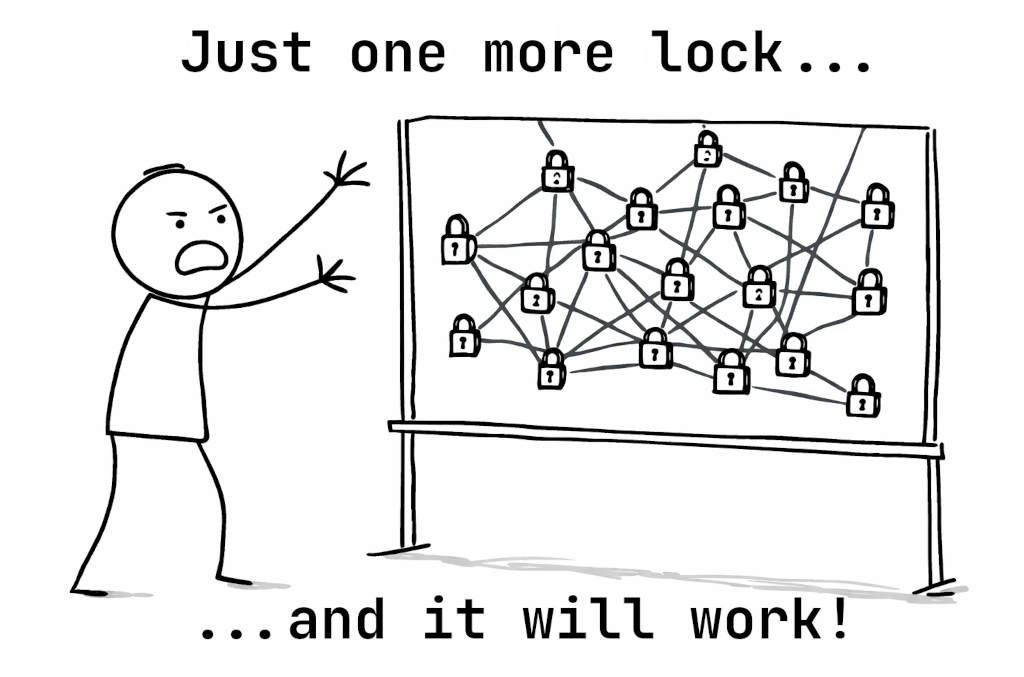
The deadly entanglement
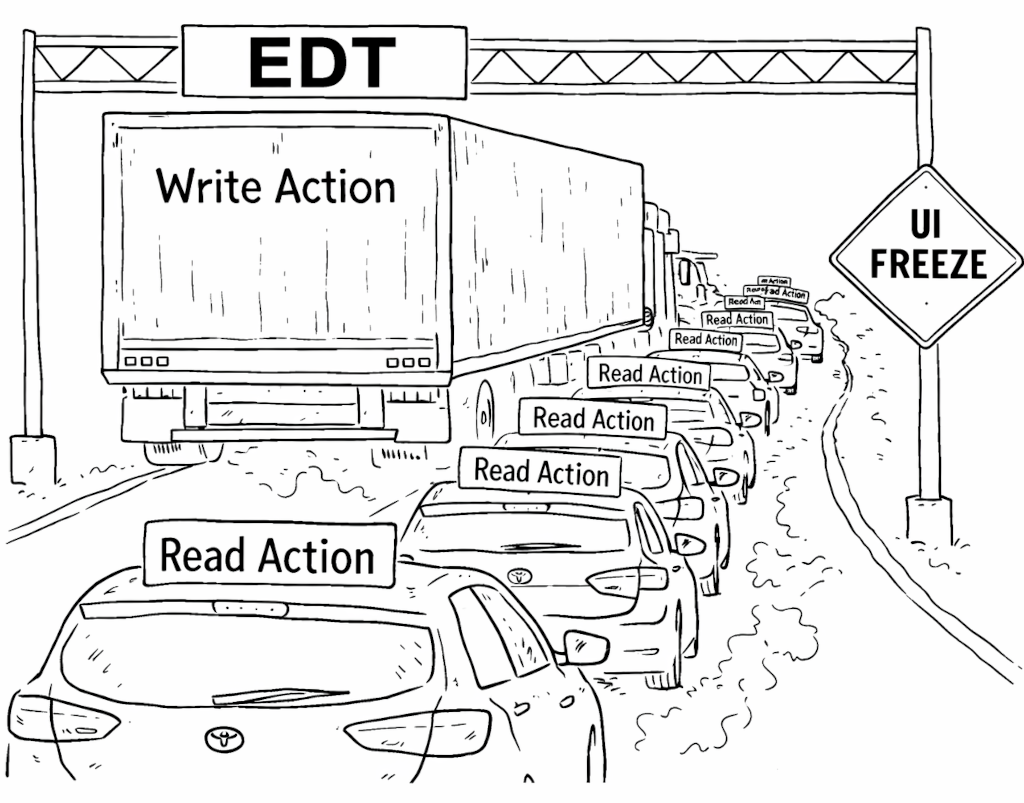
The IntelliJ Platform is a multithreaded framework built around a single read-write (RW) lock. The IDE operates on several core data structures: syntax trees (PSI), the text view of files (the Document subsystem), and a view of the OS file system (the Virtual File System, or VFS). Access to these structures is protected by the RW lock. Operations are divided into read actions and write actions. At any moment, only one write action can exist; multiple read actions can run in parallel, but read actions and a write action cannot run at the same time.
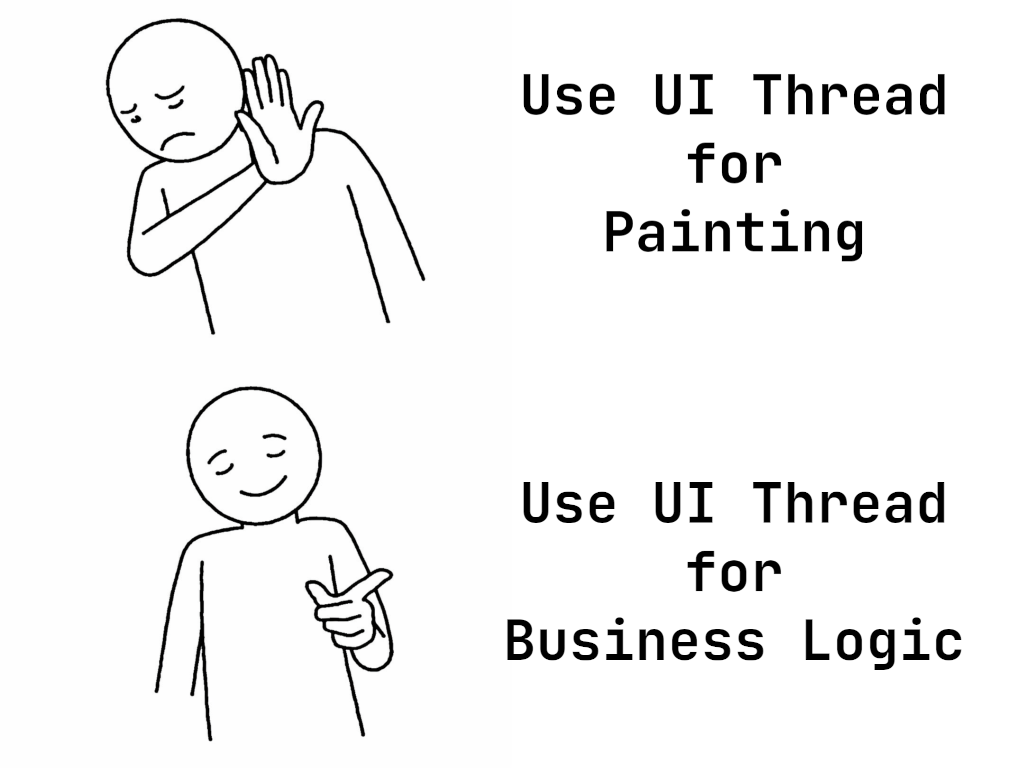
Our IDEs are also UI applications, which means they use a UI framework. In the IntelliJ Platform, that framework is Java AWT, which has a single UI thread: the event dispatch thread (EDT). This thread is responsible for processing user input and painting the UI. Java also allows business logic to run there. The EDT’s performance directly affects how responsive the application feels: If it can process paint events and user input quickly, the IDE feels snappy.
This is where the freezes come from. The write action itself can cause freezes. Some write actions, such as reparsing syntax trees or updating file system views, are expensive on their own. Another, less obvious, source of freezes is waiting to acquire the write lock. Since read actions and write actions cannot run simultaneously, starting a write action means waiting for all active read actions to finish. We’ve put a lot of work into making read actions cancelable, but the problem doesn’t go away entirely: If even one read action is uncooperative, the whole IDE can suffer.
That naturally led us to identifying a key goal: Move write actions off the UI thread.
With good intentions
The effort to support background write actions began in 2019, with Valentin Fondaratov, Andrew Kozlov, and Peter Gromov.
For a long time, code running on the EDT could conveniently access IntelliJ Platform models. With background write actions, that convenience becomes a problem: UI code can no longer assume that model access is always safe without explicit coordination. To preserve compatibility, we had to keep a lot of existing UI code working while we made those assumptions explicit.
There was another complication. Code on the EDT could also start a write action immediately. That is not true for ordinary explicit read actions, because a write action cannot simply begin in the middle of a read action.
This is where write-intent comes in. Write-intent is a lock state that still allows parallel read actions, but can be held by only one thread at a time and can be upgraded atomically to a full write action. That makes it a good fit for EDT code that may need to transition into a write action. Adopting this approach in the platform was an important step toward supporting background writes while preserving existing behavior.
The project was paused in 2020 because the amount of required change was enormous. Many UI components, especially the editor, relied heavily on long-standing assumptions about model access from the EDT.
The grand refactoring
The project was paused, but not abandoned. In 2022, Lev Serebryakov and Daniil Ovchinnikov restarted the effort.
During this stage, we refactored the IntelliJ Platform to surface a lot of assumptions the platform had relied on implicitly. That work reduced some of the platform’s reliance on implicit locking in UI-driven code paths.
Another important part of this stage was our collaboration with the JetBrains Research team. Our previous lock implementation assumed write actions ran only on the EDT. Moving them into the background needed a different lock, and plain old ReentrantReadWriteLock was not a good fit for our needs. The result was a new cancelable lock that now powers the platform (see this research paper).
This stage lasted until the end of 2024.
When one lock is not enough
At the beginning of 2025, Konstantin Nisht took over this part of the project. At that point, we were almost ready to run our first background write actions. But there was one major problem left: modality.
Some UI elements in the IDE need to block the user’s attempts to interact with anything but themselves. These are modal dialogs, such as the Settings dialog. In the IntelliJ Platform, modality also affects the model: While a modal dialog is visible, unrelated write actions should not be able to start. Historically, the EDT scheduler handled much of this by ensuring that UI work launched in a non-modal context would simply not run while a modal dialog was active.
Background write actions do not fit into that model automatically.
If a modal dialog is shown on the EDT while holding write-intent, then a naive attempt to run a background write action can deadlock. At the same time, we still want computations inside the dialog to make progress without being disrupted by unrelated work outside it.
To solve this, we introduced a modality-aware locking strategy that separates what happens inside a modal dialog from what happens outside it. That preserves the guarantees that modal dialogs rely on and lets background write actions run.
This also works for nested modal computations, which matters because real modal workflows are not always flat. With that in place, we were finally able to run our first write actions in the background.
Moving work without breaking plugins
The initial write actions were relatively easy to move into the background. They lived in the Workspace Model and were primarily used to invalidate some caches. After that, it was time to try something more substantial: VFS refresh.
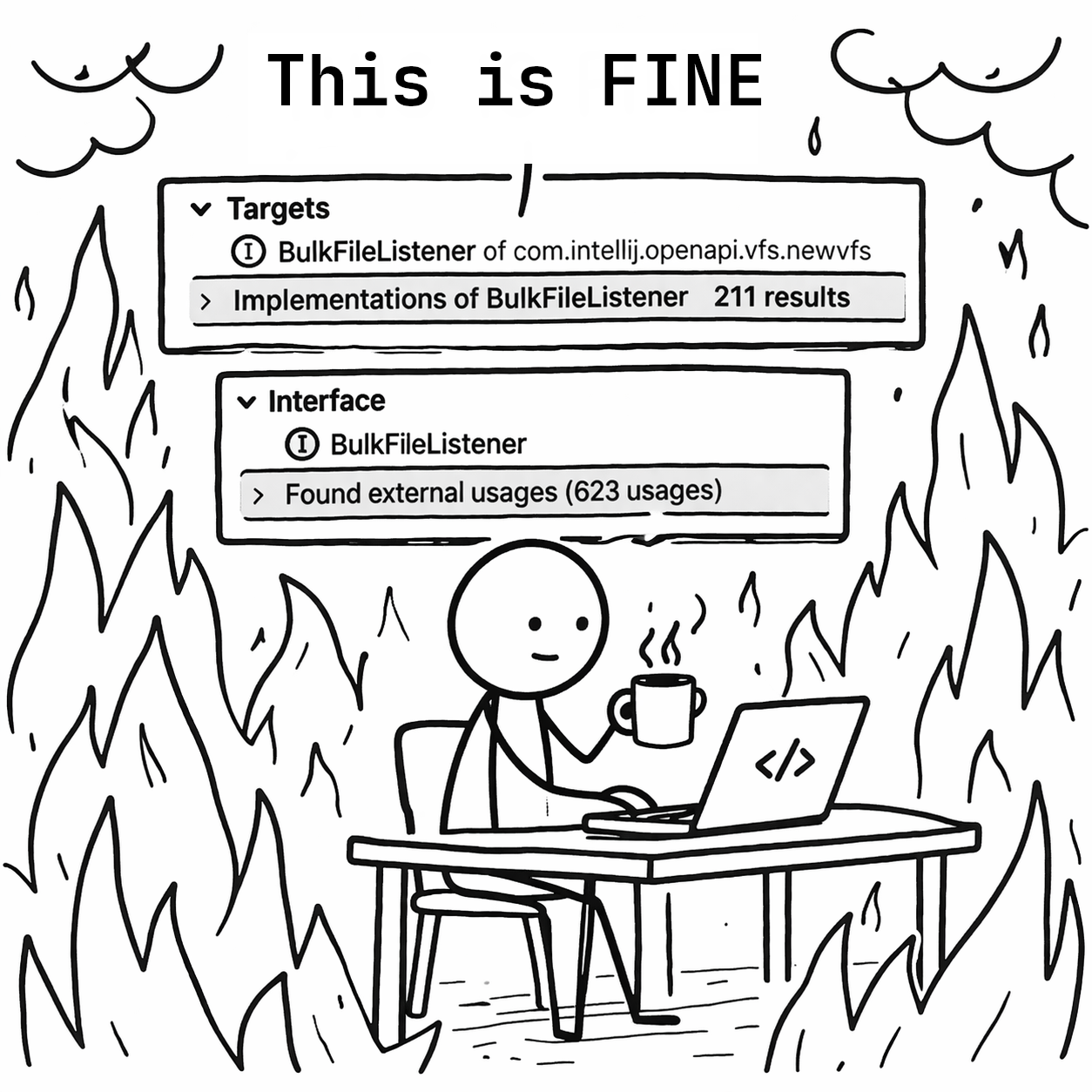
VFS refresh is the process of synchronizing file modification events from the operating system with the IDE’s internal data structures. Besides applying those events, refresh also calls listeners, meaning plugin code that reacts to file system changes. Traditionally, VFS refresh runs in a write action, and those listeners are called there too.
That creates a compatibility problem. For many years, a large amount of listener code has assumed that it would run on the EDT. Some listeners naturally access the UI. Many of them live in plugins we do not control, which means we cannot simply change the execution model and hope everything keeps working.
So the challenge was not only to move the write action itself, but to do it without breaking a long tail of existing plugin code.
The basic idea was straightforward: Keep the write action in the background, but hand specific listener work back to the EDT when compatibility requires it. Swing gives us a synchronous handoff for that with invokeAndWait(...).
Unfortunately, there is a deadlock hiding behind that seemingly simple approach. If the background write action tries to synchronously hand work to the EDT while the EDT is itself blocked waiting on a lock, the IDE can freeze.
To avoid that, we introduced an internal compatibility mechanism that allows carefully selected UI events to keep making progress during these waits. That gave us a way to migrate this incrementally: We could move expensive write work off the EDT while preserving compatibility for listeners that still depended on it.
This turned out to be one of the most important parts of the project. It let us migrate listeners incrementally, keep compatibility for external plugins, and still get most of the performance win by moving the slowest pieces first.
After VFS refresh, we migrated the document commit process as well. This is the process that rebuilds PSI from documents, and once the core write-action machinery was in place, moving it was much more straightforward.
Let’s do it later
Background write actions are not a cure-all. They help reduce the time the EDT spends running write actions, but they do not automatically eliminate the time the EDT spends waiting for locks.
Even if write actions run in the background, the EDT can still be asked to acquire read or write-intent access. While a write action is running, or while one is waiting to acquire the write lock, those requests can still freeze the UI. That brings us to the second part of this project: removing as much lock acquisition from the EDT as possible.
One especially problematic area was the editor. The editor is responsible for drawing content on the screen based on its models, such as the caret, foldings, and document text. But document modification is protected by the RW lock, and the editor still needs access to that data on the EDT. For a long time, this meant read actions were everywhere in the editor, including in paint paths. That is a major problem, because painting can happen at any time, which means the editor could end up demanding read access at exactly the moment we most want the UI thread to stay free.
In this area, we made a pragmatic trade-off. We relaxed some lock requirements for editor-related EDT paths, while keeping some document-related writes on the EDT to preserve consistency. That made editor painting less lock-heavy, even though it did not yet let us move all document modification into the background. We still have to solve that part.
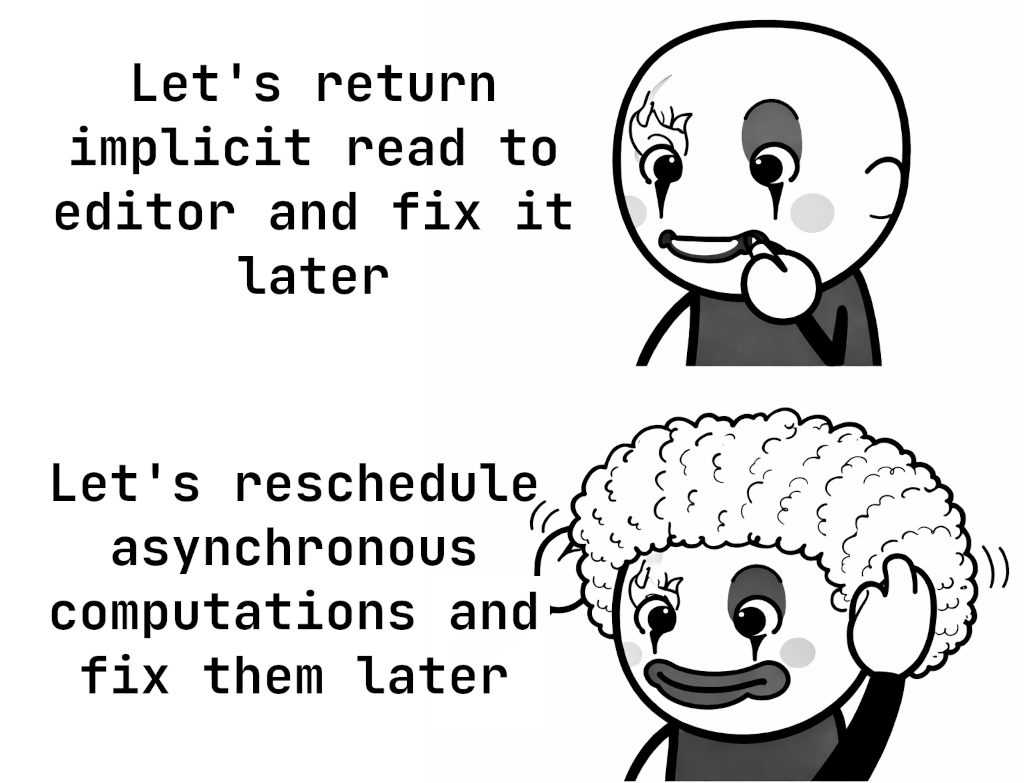
Another source of lock pressure on the EDT was our API for asynchronous computations. To preserve compatibility, many such computations still ended up coupled to write-intent acquisition, which meant they could freeze the EDT at unpredictable moments.
Here, the key observation was simple: If someone schedules work to run asynchronously on the UI thread, that person usually does not care about the exact microsecond when it starts. That means we do not always need to block the EDT waiting for write-intent access. In many cases, we can just delay the computation until that access becomes available. After some changes to the platform’s UI scheduling, this became much less of a problem.
Results, future work, and acknowledgments
Background write actions are complex because they touch fundamental contracts in the IntelliJ Platform. We’re still building APIs and tools to help plugins decouple their logic from the EDT. The work is not finished, but here’s where we are.
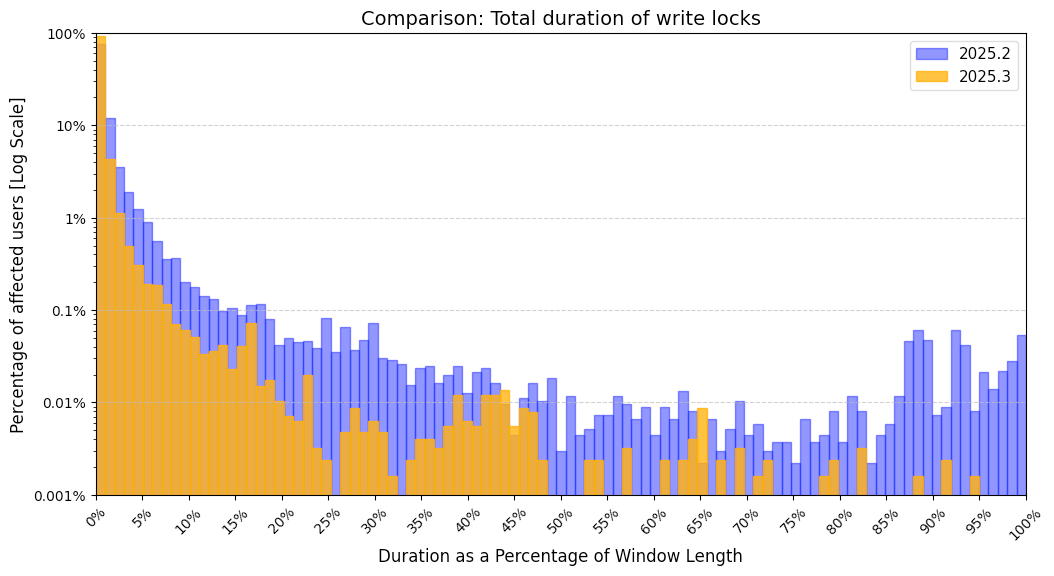
As a metric, we track how much time the EDT spends doing write actions. Here is the graph, based on data gathered one week after each release:
For example, in 2025.2, 1% of users spent 5% of their UI time on write actions. In 2025.3, the same percentile of users spent only 3%. Overall, the expected share of UI time spent on write locks on the EDT dropped from 1.8276% in 2025.2 to 0.5298% in 2025.3.
In the future, our work will focus on removing more write-intent usage from the EDT. We want to eliminate locking from common interactions such as typing. That is a difficult goal because it requires rethinking fundamental structures such as Actions, PSI, and Documents. It’s hard, but we think it’s doable.
Finally, we’d like to thank all the people we haven’t already mentioned who were directly or indirectly involved in this project: Anna Saklakova, Dmitrii Batkovich, Vladimir Krivosheev, Moncef Slimani, Lev Serebryakov, and Nikita Koval, amongst others. This post began as an internal article by Konstantin Nisht and was adapted for the public blog by Patrick Scheibe – with fewer breaking changes than usual.