
With the 2025.3 release, DataSpell continues its mission to make data analysts more productive with the help of AI. In addition to improving DataSpell’s own AI agent, this release expands your options by introducing direct access to Claude Agent from the IDE – with more agents coming soon. DataSpell 2025.3 also includes major visualization workflow enhancements and Jupyter improvements.
Read on to discover everything that’s new in DataSpell 2025.3.
Multiple agents in DataSpell
For the first time, DataSpell supports multiple AI agents. You can choose between:
- DataSpell AI Agent – designed to operate and control DataSpell features via requests made directly in the AI chat.
- Claude Agent – great for code assistance and documentation.
Simply open the AI chat, pick your agent, and start collaborating. More agents will be added in future updates.
Visualization enhancements
In-chat visualizations
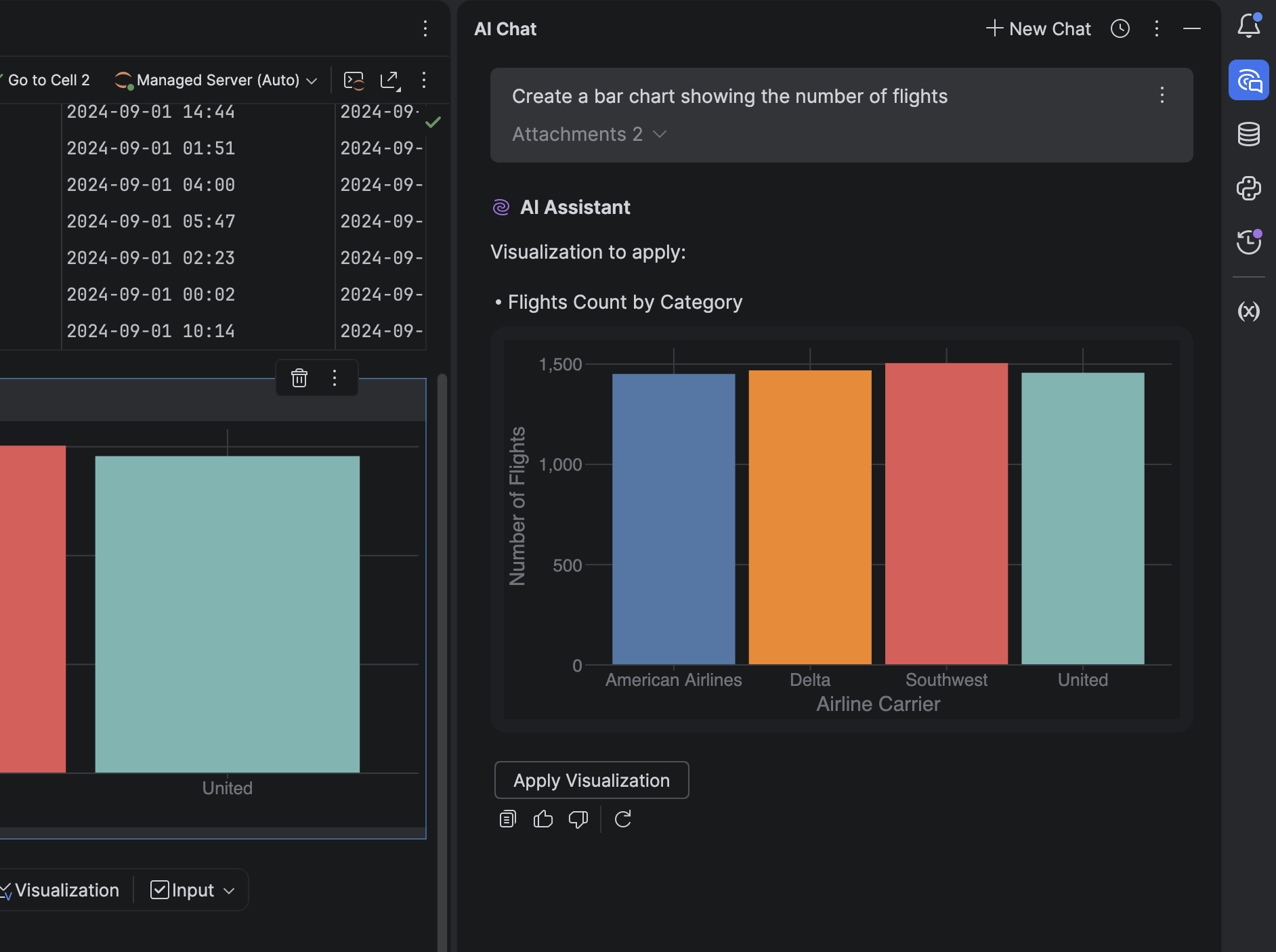
It’s now possible to generate and view charts directly in the AI chat – no extra steps required.
DataSpell AI agent can:
- Understand datasets automatically.
- Generate visualizations as JSON-based specs.
- Display visualizations in the chat or in dedicated visualization cells.
This makes exploratory data analysis smoother and more interactive.
Visualization cells in notebooks
We’ve added support for visualization cells, a new, no-code way to explore and present data in notebooks. You can now:
- Add visualizations without writing code.
- Instantly view visualizations inline.
- Edit charts directly in the new no-code chart editor.
Jupyter improvements
DataSpell now automatically detects:
- Missing values
- Outliers
- Duplicates
- Format inconsistencies
- Correlated or redundant features
You’ll get AI-powered suggestions to fix these issues instantly. Click Fix with AI to insert a new cell in the same Jupyter notebook with code generated to resolve the relevant issue.
Database updates
Query files
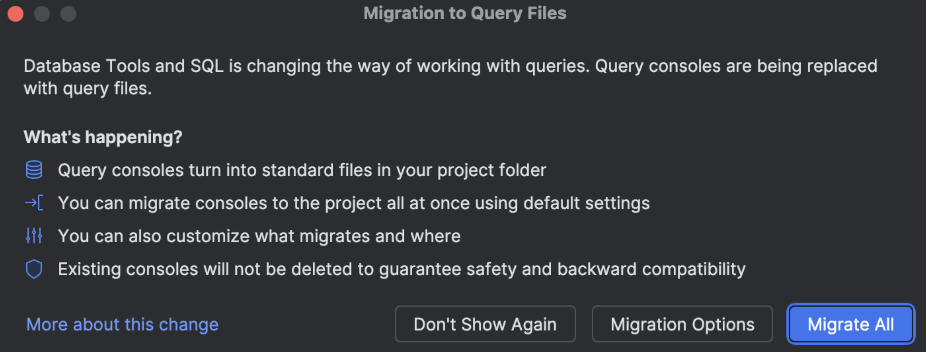
Following their addition to DataGrip, DataSpell now also uses query files in place of query consoles for a smoother and more consistent SQL workflow. Upon first launch after updating, you’ll be prompted to migrate your existing consoles automatically.
Cloud database connections
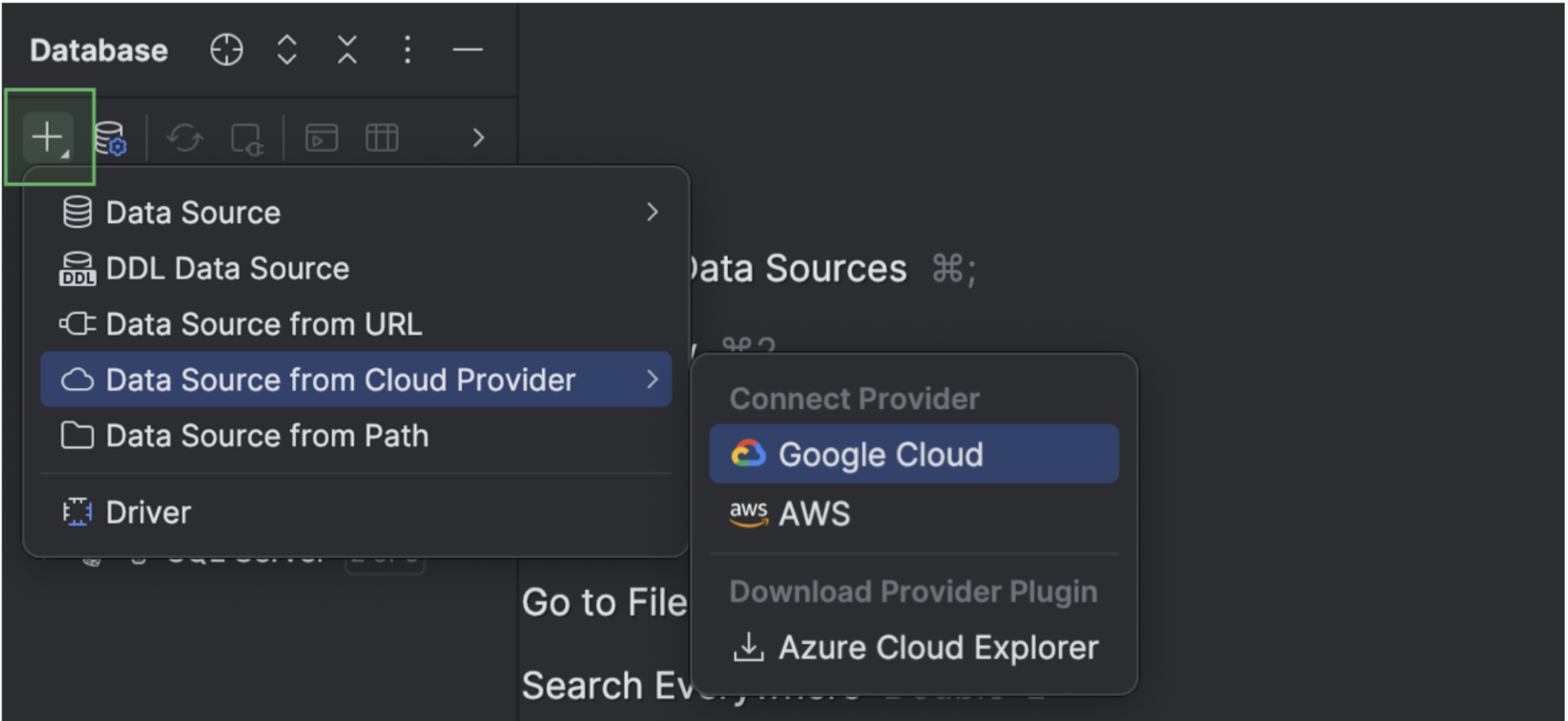
DataSpell now integrates with AWS, Azure, and Google Cloud. Connect your cloud accounts directly from the IDE, browse available databases, and create new data sources with a single click. All connected accounts appear under the Cloud tab in the Data Sources and Drivers dialog.
Islands theme by default
The Islands interface theme is now the default for DataSpell and is available in both dark and light variants. This update modernizes the visual experience without altering your workflows. To turn the new theme on or off, open the IDE Settings dialog and navigate to the Appearance & Behavior settings page.
We hope you enjoy exploring DataSpell 2025.3! This release marks another milestone in making DataSpell the most intelligent, context-aware IDE for data professionals. If you encounter a bug or have a feature suggestion, please share it on our issue tracker.
Stay up to date on new features and data analysis tips – subscribe to our blog and follow us on X!
