
The final Datalore release of the year is here, and it brings multiple improvements designed to make your day-to-day work smoother. Whether you’re trying to keep reports error-free, managing user roles, or setting up environments, Datalore 2025.6 adds new tools that will help you stay organized and productive.
Issue center
The issue center is available to help your teams monitor and resolve errors in published reports.
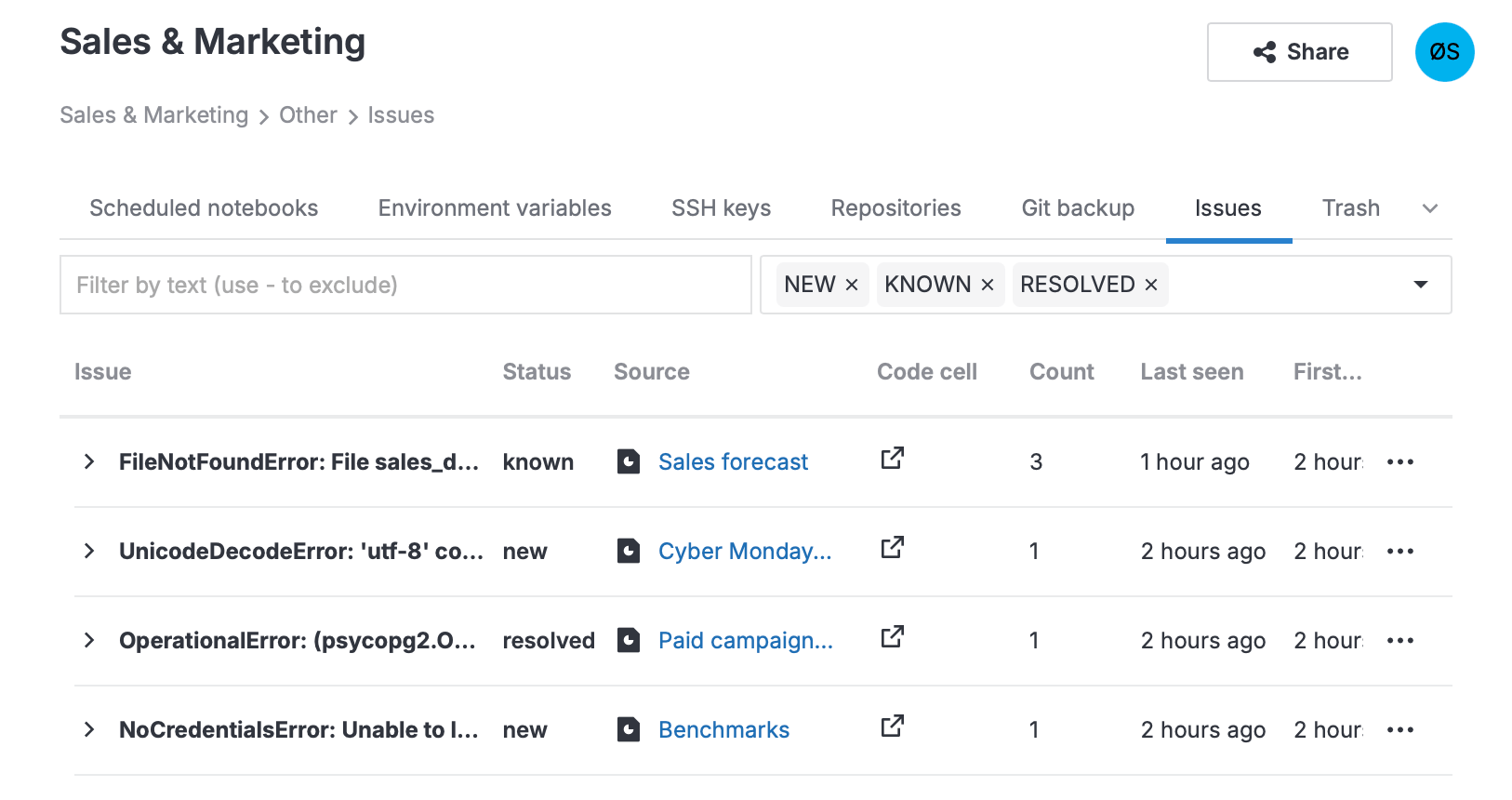
Unlike notebooks, reports run code behind the scenes and hide technical details from viewers, so identifying and fixing issues in them can be difficult. The issue center tracks the errors from all reports in a workspace and displays them in one place, where you can search, filter, and resolve them with ease. Read more
Usages tab for databases
Database connections now include a Usages tab, where you can see all the notebooks and cells that rely on a particular connection. This makes it easier to understand where a connection is used, track dependencies, and quickly reuse or update code across your workspace. Read more
Option to change a user role to viewer
In Datalore On-Premises, you can now directly change someone’s role from user to viewer without having to delete the existing user account and then create a viewer from scratch. Because the licensing for Datalore On-Premises is based on the number of user seats, this streamlined role change can help you optimize license usage. Read more
We also improved the viewer UI to deliver a cleaner experience for those who can view notebooks and reports but don’t need to edit them.
All reports and Recents tabs
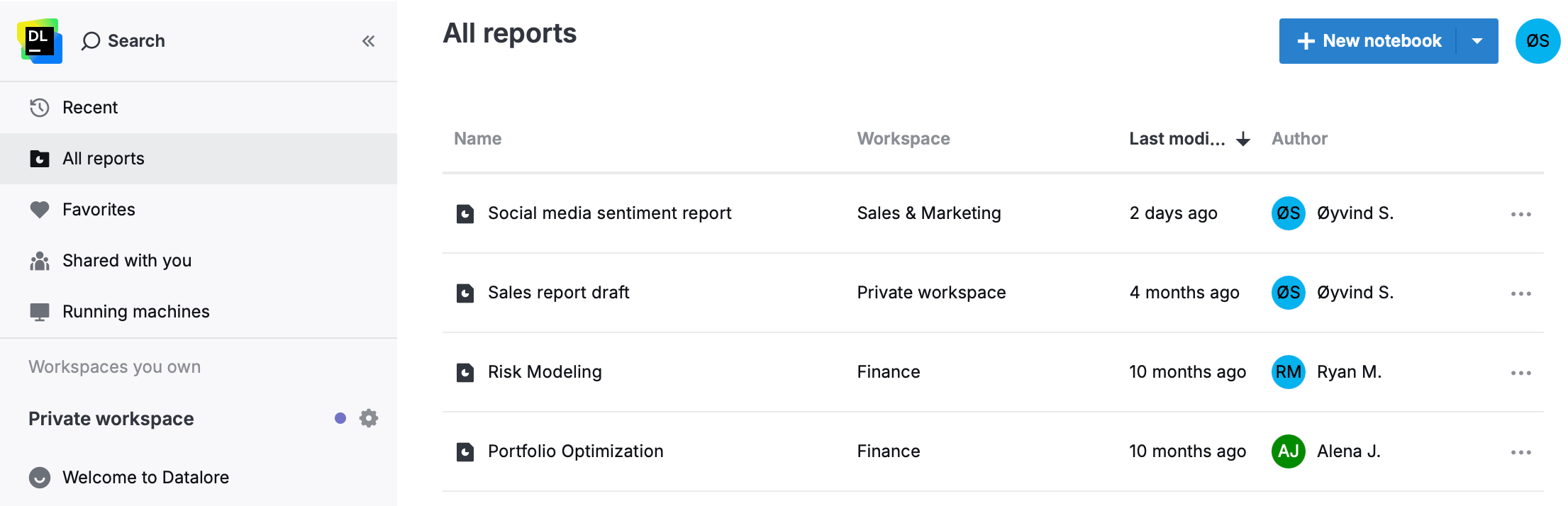
A new All reports tab on the home page allows you to access all the reports available to you, including those shared with you directly or via a workspace, as well as any publicly available reports that you have previously accessed. The Recents tab now includes recently opened reports in addition to notebooks.
Interactive report recalculation
When reports are opened, it’s crucial that they contain accurate data. Datalore users can configure whether report viewers are prompted to recalculate interactive reports on open, and instance administrators can select the default behavior in the Admin panel.
We’ve added the option to recalculate all reports automatically, ensuring that viewers always see the most up-to-date results without requiring manual confirmation.
Ability to share individual reports from shared workspaces
You can now share individual reports without sharing the whole workspace or making the report public.
Automatic environment installation
We’ve added automatic environment installation for pip-based environments on machine start. When you specify an environment and Python version in the Admin panel, they will be installed as the machine boots. This feature uses uv as the package manager.
To learn more about all the updates, see the What’s new page in the Datalore documentation.
Upgrade to 2025.6
