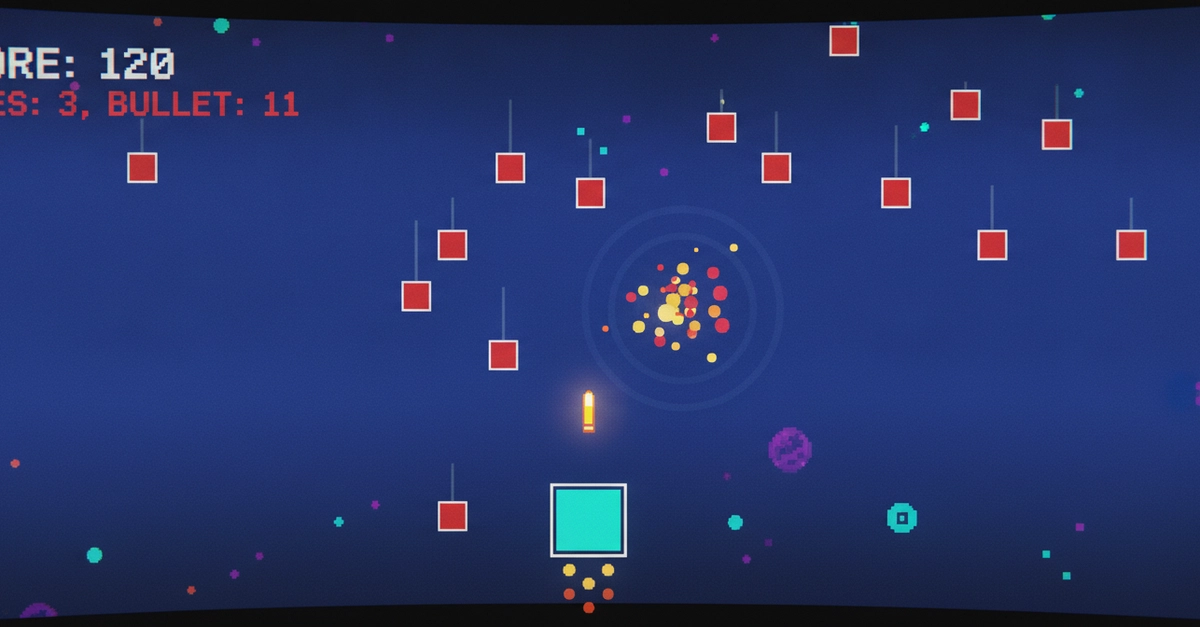
🚀 Build Your First Space Shooter Game with Limn Engine

​

A Complete Step-by-Step Tutorial for JavaScript Beginners

Welcome! In this tutorial, you’ll build a complete space shooter game using Limn Engine — a zero‑configuration 2D game engine that runs in your browser.

What you’ll build: A spaceship that moves, shoots bullets, fights waves of enemies, and keeps score. All in about 100 lines of code.

By the end, you’ll understand:

  • How to create a game loop
  • How to handle keyboard input
  • How to detect collisions
  • How to use particles for visual effects
  • How to manage game state (lives, score, game over)

🎮 Want to play the finished game? Click here to play Space Shooter Live!


Before We Start

What You Need

  • A text editor (VS Code, Notepad, or any code editor)
  • A web browser (Chrome, Firefox, Edge)
  • Limn Engine — download epic.js from limn-engine-doc.vercel.app

What You Should Know

  • Basic JavaScript (variables, functions, arrays, if-statements)
  • How to open an HTML file in a browser

No game development experience required!


Step 1: The HTML Structure

Every Limn Engine game starts with a simple HTML file.

<!doctype html>
<html>
  <head>
    http://asset/epic.js
  </head>
  <body>
  <script>
    // All your game code goes here
  </script>
  </body>
</html>
Enter fullscreen modeExit fullscreen mode

What’s happening:


🎮 Play the Finished Game

You can play the complete game right now:

Click here to play Space Shooter Live!


Summary: What You Learned

Concept How It Works
Display Creates the canvas and game loop
Component Every visible object (player, enemies, bullets)
Tctxt Text display (score, lives)
ParticleSystem Visual effects (explosions, exhaust)
Collision crashWith() detects when objects touch
Keyboard input display.keys[keyCode]
Delta time dt makes movement frame‑rate independent
Game state Arrays, variables, and logic
hide() Hides objects without destroying them
setInterval Timer for bullet refills

Next Steps

What to Try Difficulty
Add a boss enemy 🟡 Medium
Add power‑up pickups 🟡 Medium
Add sound effects 🟢 Easy
Add a start menu 🟢 Easy
Add a high score system 🟡 Medium
Use images instead of shapes 🟢 Easy

Troubleshooting

Problem Solution
Player doesn't move Check display.keys[37] and [39]
Bullets don't appear Check shoot() is called and bulletCounts > 0
Enemies don't spawn Check enemyTimer > 45 is reached
Game crashes Check for hide() on already hidden objects
Particles don't show Call particles.update() in update()
Player doesn't blink Check player.alpha is being set correctly

Congratulations! You've built a complete space shooter game with Limn Engine. 🚀

Now go customize it — add different enemy types, power-ups, or your own graphics!


Leave a Reply

Your email address will not be published. Required fields are marked *